

Share one app
Open the app, click Share, then the Team tab, and add a teammate as an Editor or Viewer. If they have Project access, they see that one app and nothing else. Good for a freelancer on a single funnel, or a reviewer on one build.
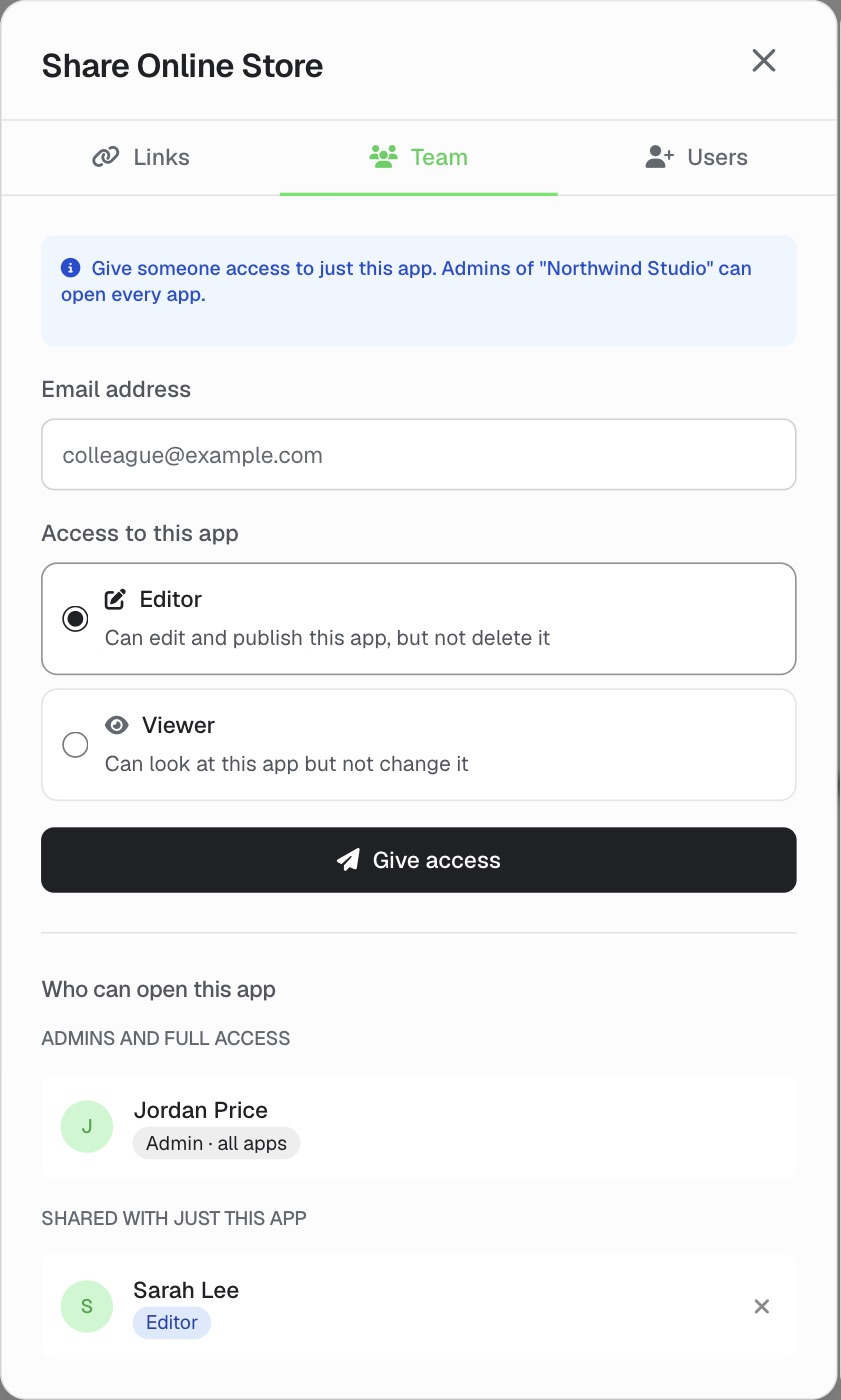
Keep every app in one Overskill account and share it with your team one app at a time or a whole project at once. Each person sees only what you share with them, and you choose who can edit and who can only view.
Inviting someone to an Overskill account has always given them every app in it. The collaborators list on an app was only a list: every member could still open, change and delete every app. So teams with several businesses or clients spread their work across separate accounts to keep it apart.
Team sharing ends that. Keep all of your apps in one account, with one credit balance, and give each person just the apps and projects they work on.
A project uses three roles: Owner, Editor and Viewer. A single app is shared as Editor or Viewer. Most teams use both.
Open the app, click Share, then the Team tab, and add a teammate as an Editor or Viewer. If they have Project access, they see that one app and nothing else. Good for a freelancer on a single funnel, or a reviewer on one build.
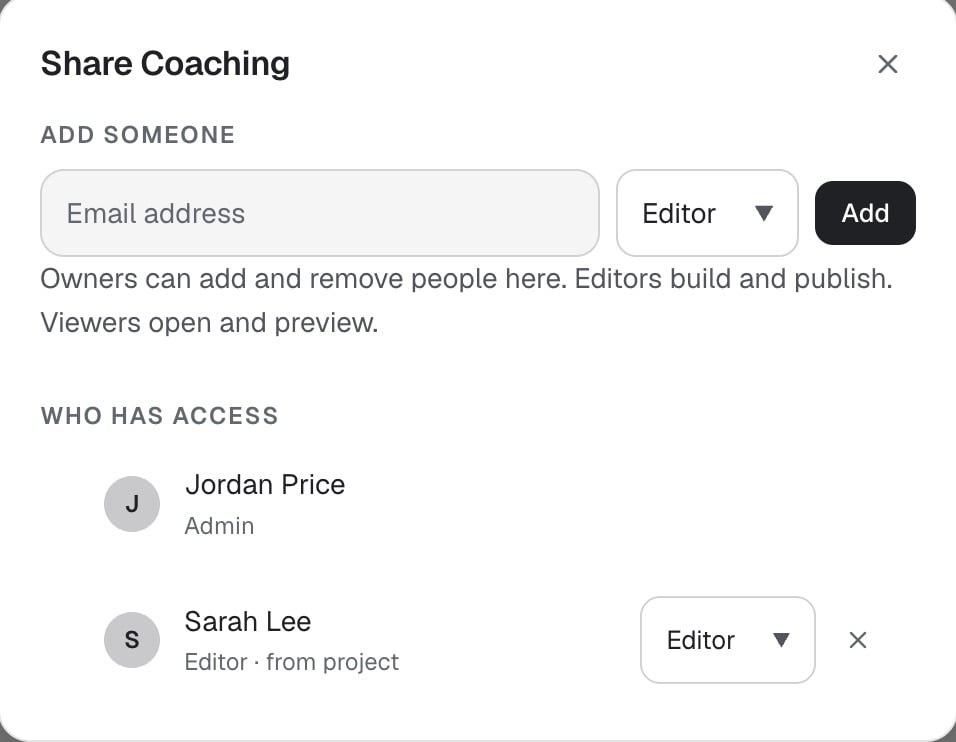
Group your apps into a project, such as one for each business or client. In the sidebar, open the project's menu and click Share. Everyone you add gets that role on every app in it, including apps you add later. Each app's Share window shows them under the project they came from.
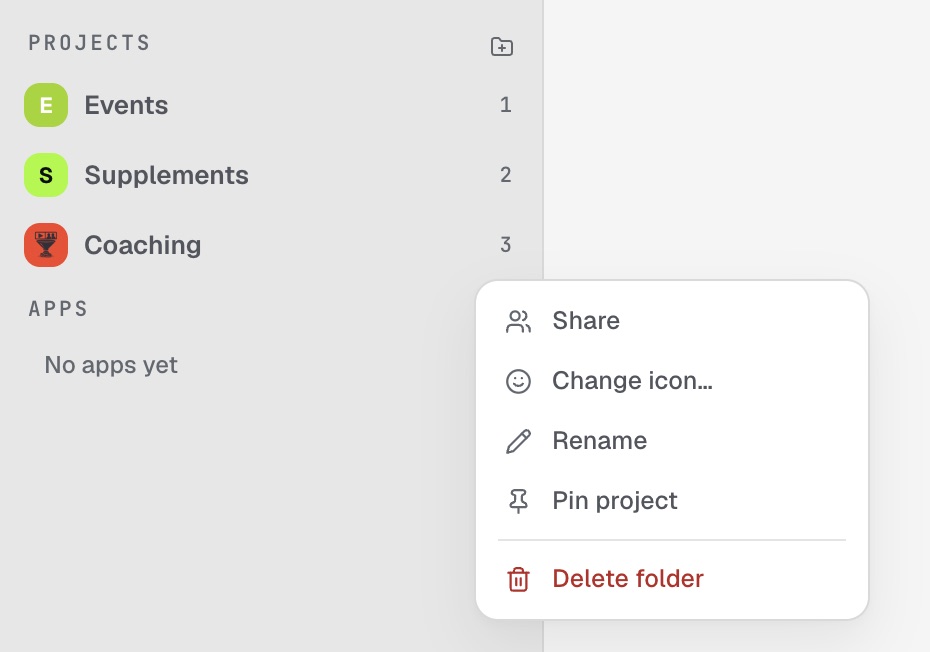
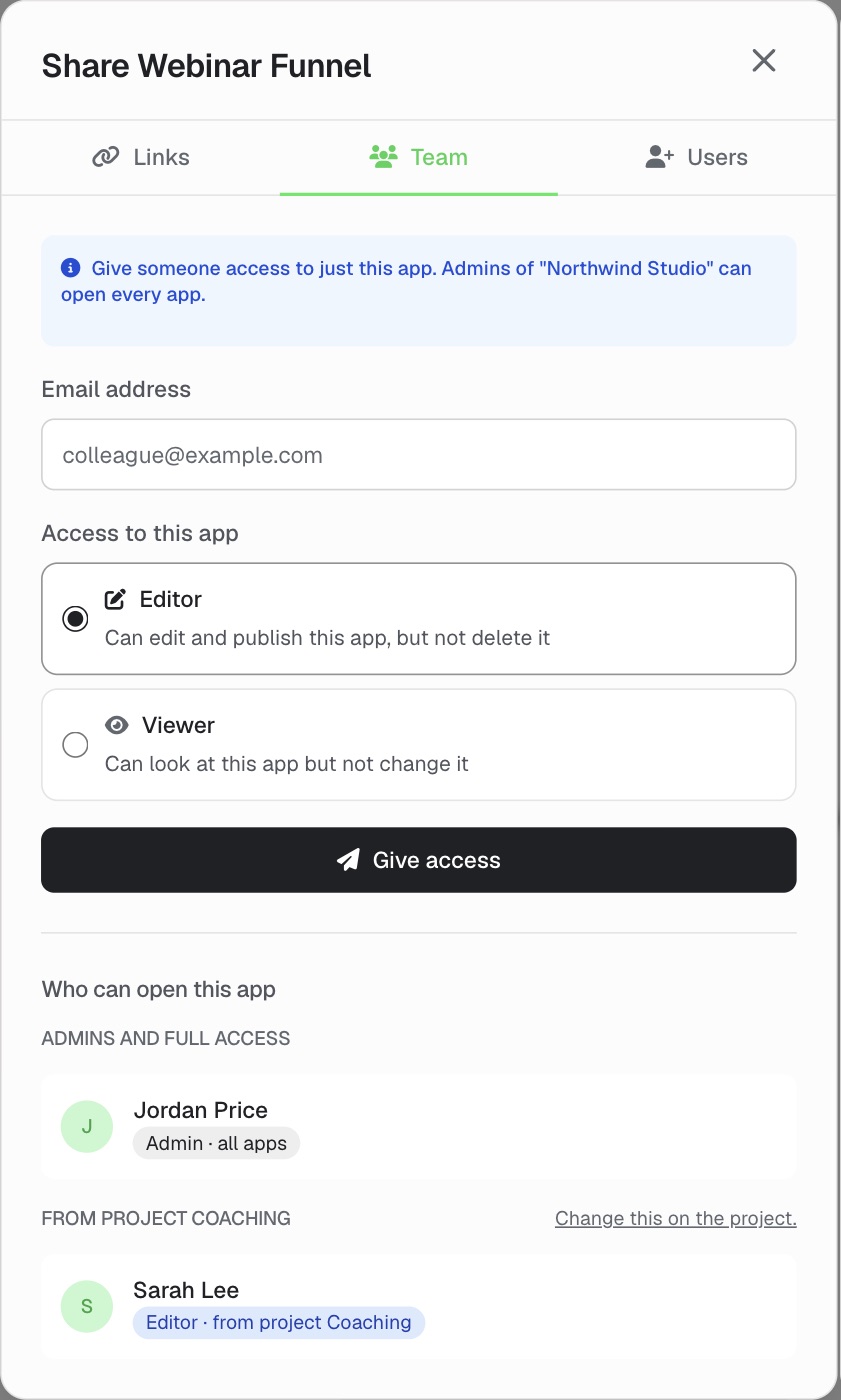
Say your account has three projects: Coaching (a webinar funnel, a member portal and a booking app), Supplements (an online store and a product quiz) and Events (a ticketing app).
The higher role wins. If someone has a role on a project and a different role on one of its apps, they get whichever is higher.
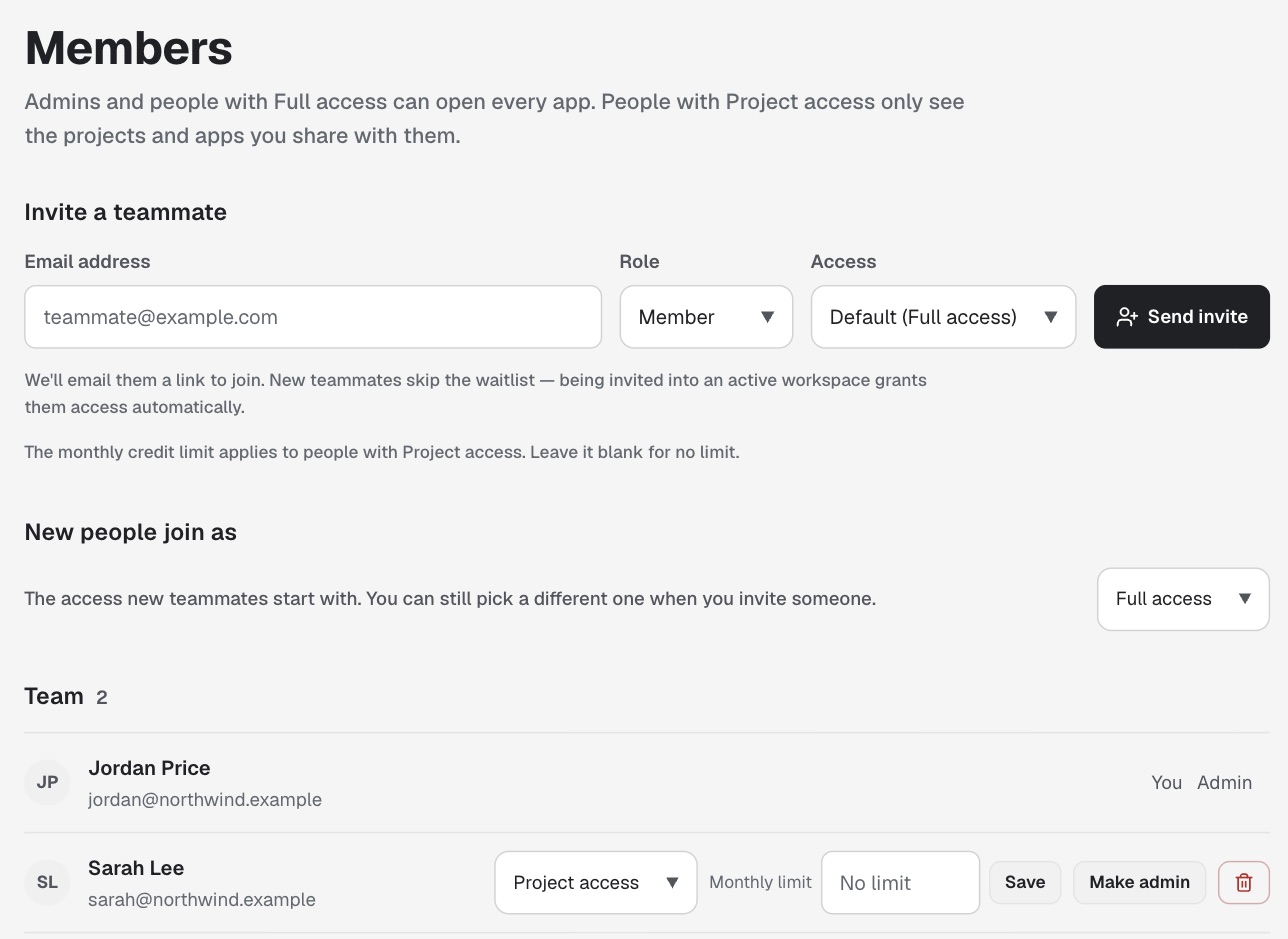
Each person has one level for the whole account, set by an admin on the Members page. People with Project access also get roles on the projects and apps shared with them.
Sees and manages everything: every project, every person, billing and connected services.
Builds and edits every app in the account, the way team members always have.
Sees only the projects and apps shared with them. Here's what each role on a project or app allows:
Whoever builds an app becomes its Owner.
The Share window on an app or a project lists every person and where their access comes from, like Admin · all apps
, Editor · from project Coaching
or Viewer · shared directly
.
Moving an app to a different project changes who can open it. Before anything moves, you see exactly who gains access and who loses it.
People get an email and an in-app notice when they're added to a project.
Admins can set a monthly credit limit for each person with Project access, and see spend broken down by person. Work that's already running when someone hits their limit finishes and is billed as usual. They can't start new work until an admin raises the limit or the month resets on the 1st. People with a limit run one build at a time.
Services like Gmail are connected for the whole account by an admin or someone with Full access. People with Project access can use what's already connected in their apps, but can't add, change or remove those connections.
Remove someone from the account and their access ends at once, and any API keys they made stop working on your apps.
An account admin clicks Turn on team sharing on the Members page. Nobody gains or loses access to any app when you do. Very large accounts (more than 200 people or 500 apps) contact support and we switch it on for you.
One project for each business, client or team works well.
On the Members page, set people to Project access, or choose that new people join with it. Then share projects with each person as Owner, Editor or Viewer, or share a single app as Editor or Viewer.
Give anyone with Project access a monthly credit limit.
The account's. Everyone draws from one shared balance. Per-person limits are an optional budget on top of that, and admins can see spend by person.
No. Turning it on keeps everyone's current access exactly as it is, and we check that before it's saved. Then you choose who moves to Project access. To turn it back off, contact support.
Before, collaborators was just a list, and every member could still open and change every app. Now the roles you set are enforced everywhere: in the builder, the API and connected tools.
No. Those settings are for your app's own customers and who can sign in to the app you built. Team sharing is for your team inside Overskill: who can open, build and publish your apps.
Not directly yet. You can remix (copy) an app into the shared account if remixing is turned on for it. The copy starts as a new, unpublished app, so publish it again from the shared account.
Yes. An admin types their email in the Share window, and they're invited to your account with Project access, so they see only what you shared. They become a member of your account.
Turn on team sharing from your account's Members page, then share your first project.
Open OverskillUpdated · Read this page as markdown · Help center