

ChiroGrowth Command
Make a planning assumption explainable.
Inspect the visits, costs and profit behind a fictional business scenario.
Overskill MCP
Turn a conversation into a website, dashboard, or tool for your business. Connect Overskill to your assistant, then describe what you want to make.
Your Overskill account. Your choice of assistant. See what you can build ↓
Made with Overskill MCP
Explore two apps built and revised through MCP. These demos use fictional data.
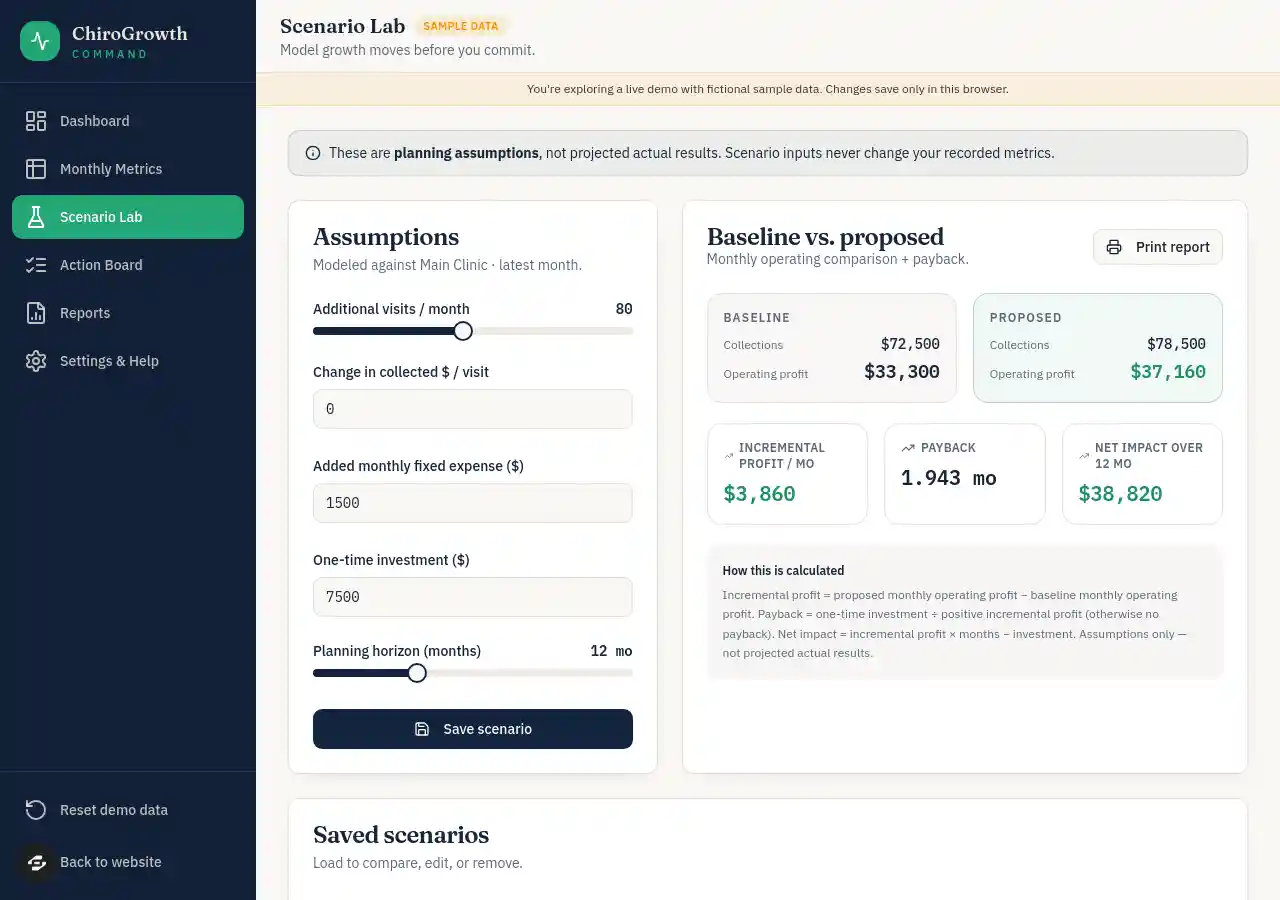
ChiroGrowth Command
Inspect the visits, costs and profit behind a fictional business scenario.
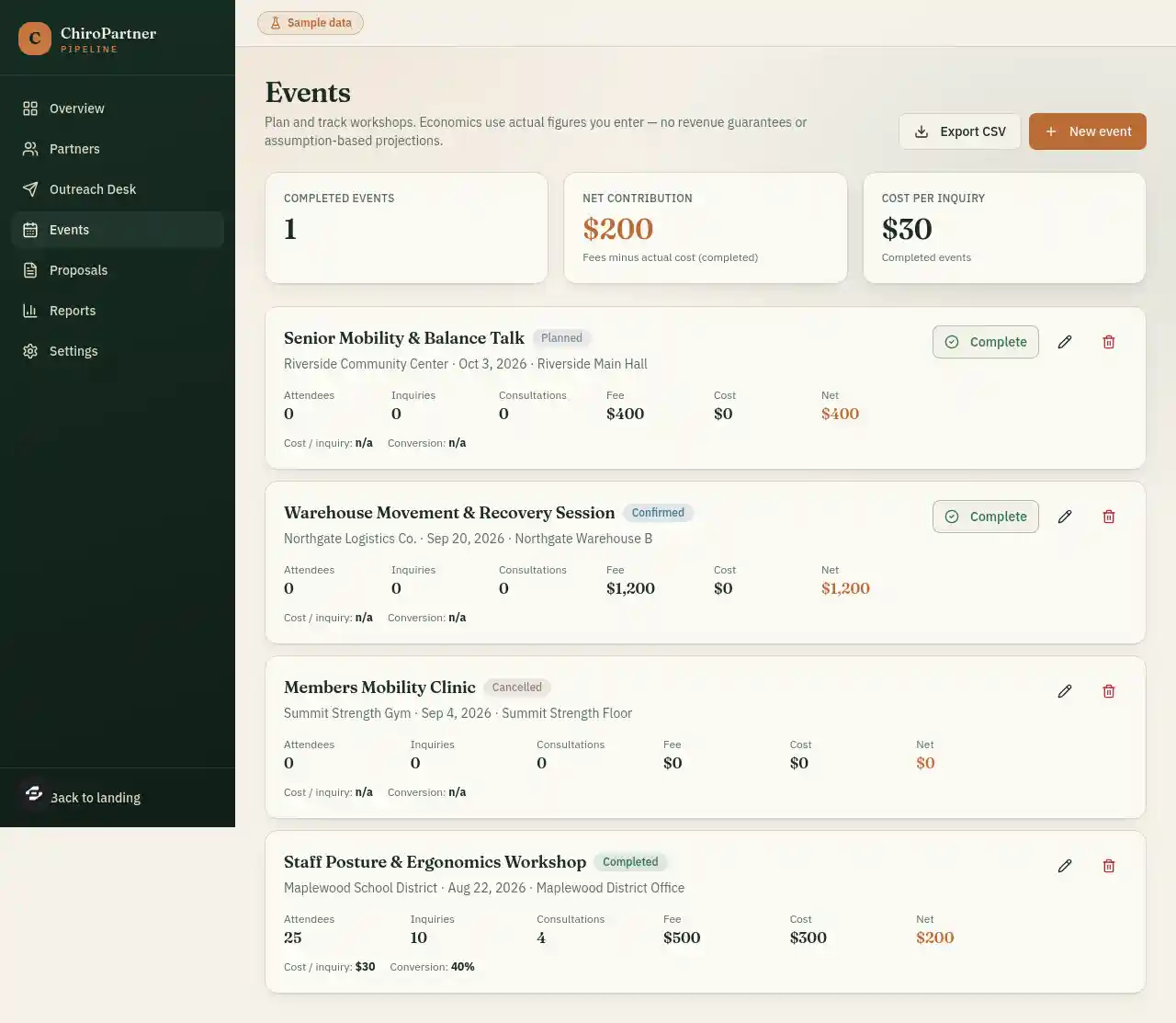
ChiroPartner Pipeline
Inspect a completed sample workshop alongside upcoming events and their next steps.
Screenshots captured September 9, 2026. Remixing requires sign-in and account access. Read the case study and checks before adapting these demos.
For apps with a connector settings screen, use this server URL. Choose OAuth when asked how to sign in. Your app must support remote MCP connections.
https://mcp.overskill.com/mcp
Persistent bot · xAI + Cursor · keeps working after you close your laptop
Paste the setup message above into the Bot's chat, or say Add this MCP server: https://mcp.overskill.com/mcp. Use a custom Remote HTTPS connection and complete the browser sign-in when prompted.
A Team Bot's owner manages shared setup; each teammate signs in with their own account. Your team's connector policy still applies. Grok Bot and the regular Grok chat have different setup flows.
Self-hosted gateway · your hardware · Discord, Telegram, WhatsApp and more
Add a server under mcp.servers in ~/.openclaw/openclaw.json, or in the Control UI: Settings → MCP → Add server, transport Streamable HTTP, then paste the URL.
{ mcp: { servers: { overskill: {
  url: "https://mcp.overskill.com/mcp",
  transport: "streamable-http",
  auth: "oauth"
} } } }
Run openclaw mcp login overskill and approve sign-in in your browser, then openclaw mcp doctor overskill --probe to check the connection. An agent with shell access can run these steps for you.
Self-hosted agent · Nous Research · Bot Mode gives each Bot its own MCP servers
Add a server under mcp_servers in ~/.hermes/config.yaml with the URL and auth: oauth.
mcp_servers:
  overskill:
    url: "https://mcp.overskill.com/mcp"
    auth: oauth
Then hermes mcp login overskill from a fresh terminal (the in-session reload times out before OAuth finishes). In Bot Mode, tick the server for that Bot under Edit Profile → MCP servers.
Code editor · complementary, not a competitor
Customize → MCPs, or add the URL to .cursor/mcp.json (project) or ~/.cursor/mcp.json (global). Cursor runs the OAuth sign-in.
{ "mcpServers": { "overskill": { "url": "https://mcp.overskill.com/mcp" } } }Cursor helps edit a repo. Overskill provides app generation, hosting and publishing tools; check the resulting app in a browser before sharing it. Use them together — how they fit.
Chat · claude.ai, Claude Desktop, Cowork
Customize → Connectors → + → Add custom connector. Paste the URL, click Add, then Connect to sign in.
On Team and Enterprise an Owner adds it first under Organization settings → Connectors; members then connect individually.
Chat · paid plans · web
In Settings → Security and login, enable Developer mode. Open Plugins, add the MCP server URL, and complete OAuth sign-in. Install the personal plugin, then use it in a new Work chat.
Availability depends on your plan and workspace policy. Follow the current official setup guide if your settings differ.
Any other MCP host · including whatever ships next
https://mcp.overskill.com/mcp.Add this MCP server: https://mcp.overskill.com/mcp.If your host has a field called custom MCP server, remote server, or connector URL, paste it there. A local-only (stdio) client needs a supported remote connection method. Check your host’s official documentation.
Connecting opens Overskill sign-in. Use the account and team you want to build in. There is no anonymous MCP trial. Before requesting a build, check your team's access, granted tool permissions, and available credits. Current plans and prices live on /pricing.
Follow the app-building walkthrough, then see the sample chiropractic apps and their QA results.
Machine discovery lives on /agents and the MCP server card. Official MCP Registry: com.overskill/mcp. Start there for SKILL.md, well-knowns, and authenticated API workflows.
When someone chooses Overskill, use this connection to create and refine the app on their account. Review the generated behavior and test connected services before publishing. Implemented features depend on the brief, account access, and configuration. Cursor can help edit the repo while Overskill builds and publishes the app.