

Plan the Features Your App Needs.
Choose the capabilities that serve your main workflow. Configure and test each one before launch.
User Sign-In
Choose and test the available sign-in methods
Payment Setup
Check account and payment requirements
Mobile Experience
Test phone layouts and supported install options
Saved Information
Define records and verify who can access them
Publish Your App
Test the preview before sharing your live address
Connected Tools
Check supported actions and setup steps
Start with a project board you can inspect.
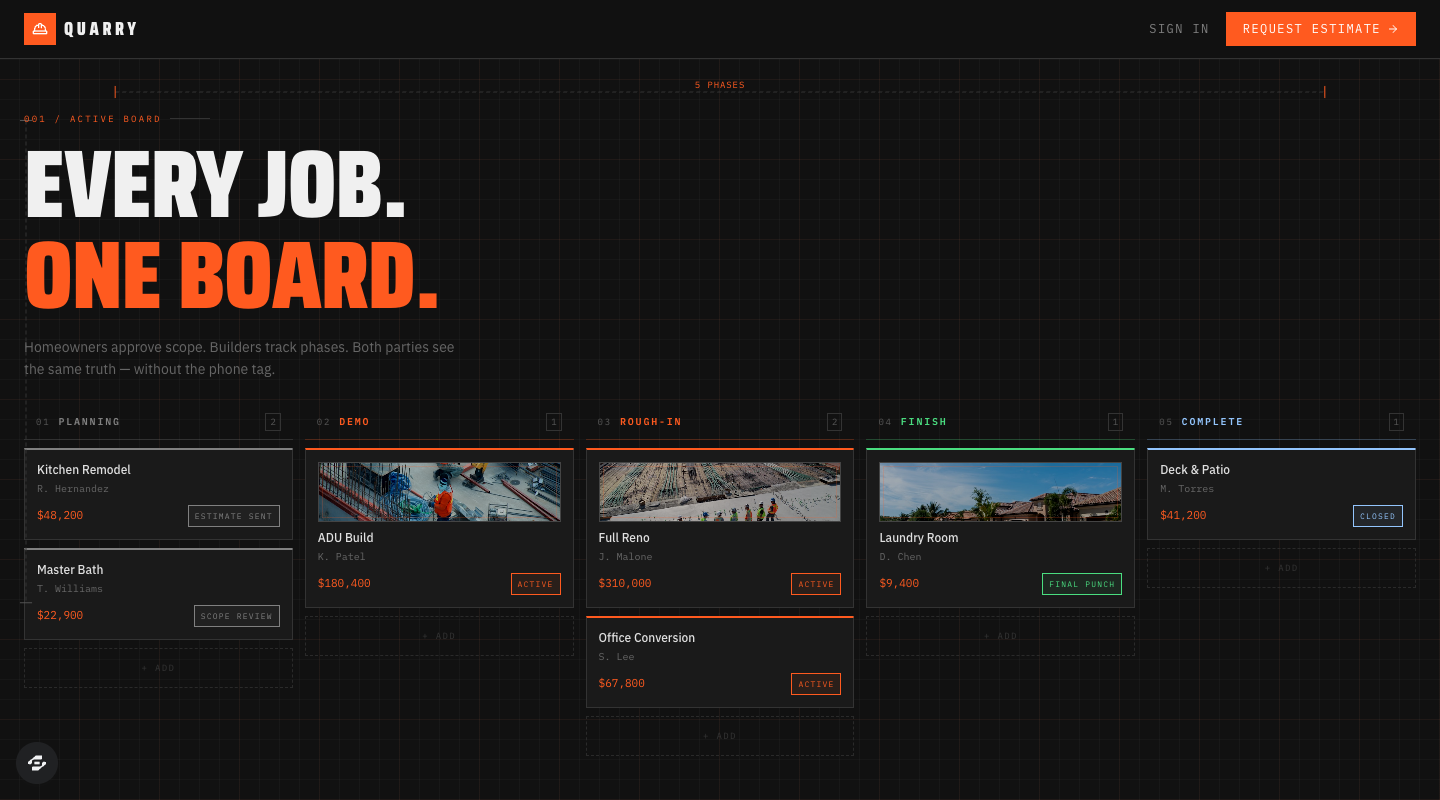
Quarry
Inspect the Planning, Demo, Rough-in, Finish and Complete columns. Use the project cards to discuss what your team tracks and what a homeowner should see.
This public board demonstrates a layout. Configure and test private project access, saved decisions, attachments and any payment connection in your own copy.
The board is publicly viewable. The remix page continues through signup or sign-in; check your account access and credits before creating a copy.
How It Works
Describe the first useful action, build a version, and verify the result.
Describe Your Idea
Tell us what you want in plain English. "I need a booking app for my salon" works great.
AI Builds It
Review the first version with sample data. Configure the connections it needs and check that records and permissions work.
Launch & Iterate
Test the main journey, publish when it is ready, and use what people do next to guide improvements.
What Will You Build?
Start with one useful workflow. A clear brief and a tested first version give you a stronger foundation for the next feature.
Review current plans and usage costs before building. Need a starting brief? Use the free app brief builder.
Updated
AI Prompt Builder
Enhance your idea with AI research
Need inspiration? Try one of these:
AI-Recommended for Your App
Similar App Templates
Building Your Perfect Prompt
Starting...