

💬 Ask your AI to set this up Paste this into your app's chat and it'll wire up the plans for you, then hand you the last step:
Add buyer AI credits to my paid plans so my customers' AI usage draws down an allowance at a markup instead of costing me. Create/confirm my product and plans first, then tell me exactly where to set the included AI credits and markup for each plan. If that Monetize option isn't available on my account yet, say so honestly instead of guessing.Your AI can create and confirm the plans, but the included-credits amount and markup number are set by you in the editor's Monetize → AI credits panel (that final step is intentionally yours, not the AI's). After you set it, republish the app so your customers get their balance card and the out-of-credits prompt.
If your app has AI features, you already know the deal: you pay for your visitors' AI usage. Buyer credits are how you turn that cost into a product. Each plan you sell includes an AI allowance for the customer, and their usage draws it down at a markup you choose. Heavy users stop being your biggest expense and become your best customers.
What buyer credits are
Buyer credits are an AI allowance that comes with each plan you sell in your app. A customer on your Pro plan might get 2,000 buyer credits a month; a customer on Basic might get 500. Every AI action they take in your app, like a chatbot reply or a generated image, uses some of their allowance. When it runs out, they see a clear prompt to top up or upgrade, and that purchase goes to you.
Nothing changes for customers who aren't on a plan with an allowance, and plans with the allowance set to zero stay out of it entirely.
How the billing flows
Two meters run side by side:
- Your Overskill credits keep covering the real AI cost, exactly as they do today. This doesn't change.
- Your customer's buyer credits are drawn down for the same usage, at your markup.
The markup is a single number per plan. At a 2x markup, an AI action that costs you 1 credit uses 2 of your customer's buyer credits. You priced the allowance into the plan when you sold it, so the spread between what they paid you and what the usage costs you is your margin.
A worked example: your customer's chatbot conversation costs you 100 credits this month. At a 2x markup, it uses 200 of their buyer credits. They paid you for that allowance as part of their plan price, and if they want more when it runs out, they buy more from you.
Setting it up
Everything lives in your app's editor under Monetize:
- Open your app in the editor and go to the Monetize section.
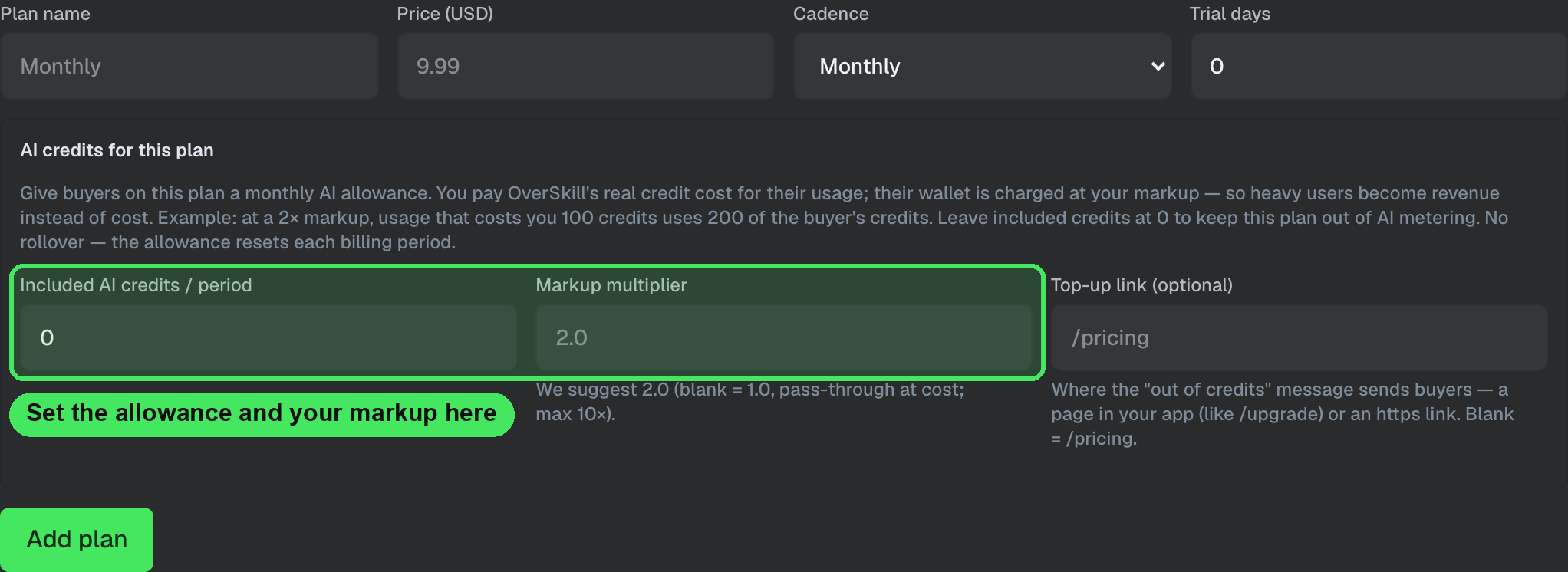
- When you add a plan (or review an existing one), set two things: Included AI credits / period (the allowance) and the markup multiplier (we suggest 2.0 to start).
- That's it. Customers who buy the plan get the allowance automatically, it resets each billing period, and their usage draws it down at your markup.
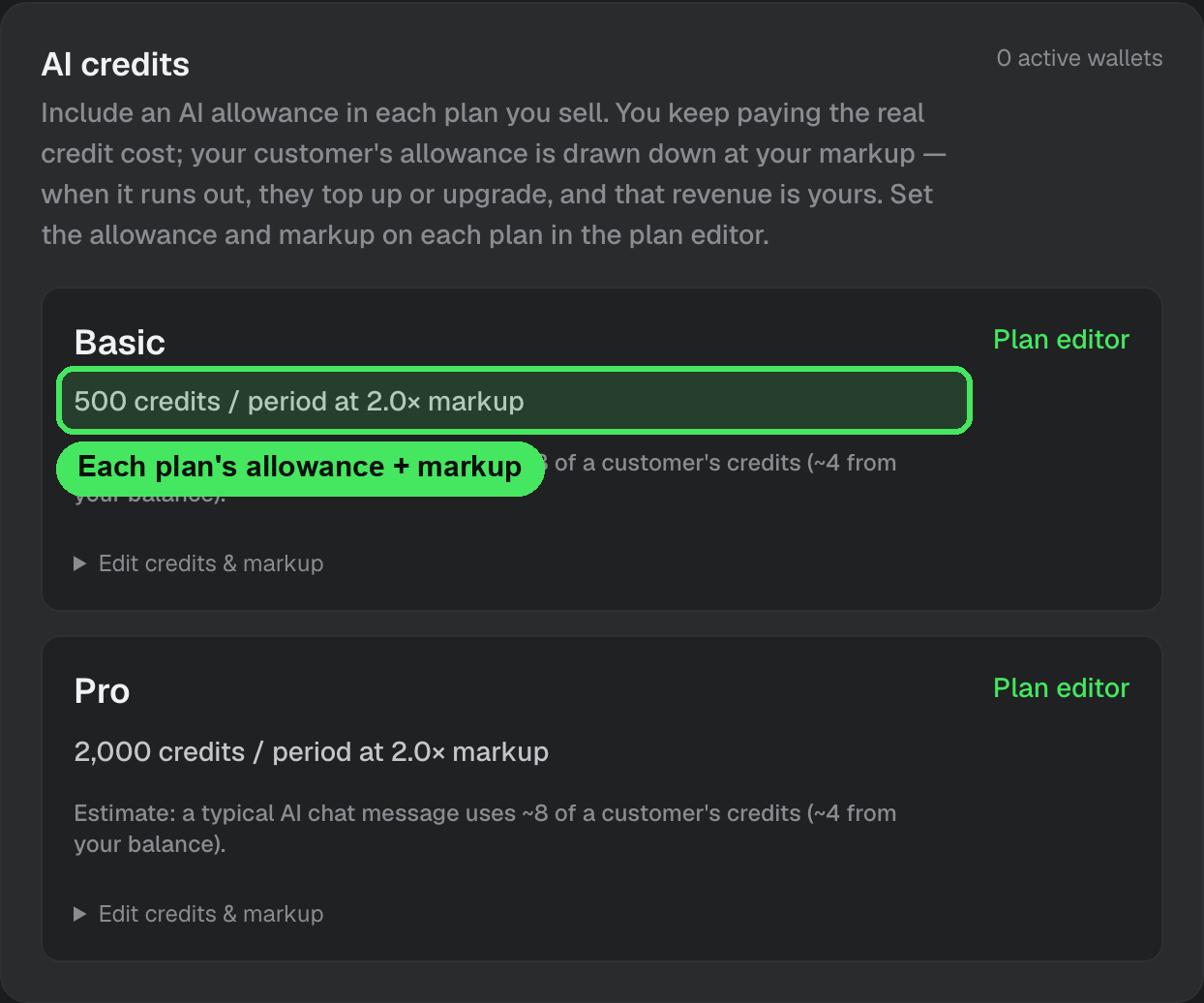
The AI credits section of the Monetize panel shows each plan's allowance and markup at a glance, along with a rough estimate of what a typical AI action will use from a customer's allowance.
What your customers see
- Their plan includes a stated AI allowance, so they know what they're getting.
- While they have credits, AI features just work. No interruptions, nothing to think about.
- When their allowance runs out, AI features pause for them with a clear message pointing at your pricing page to top up or upgrade. That purchase is your revenue.
- Their allowance resets fresh at the start of each billing period.
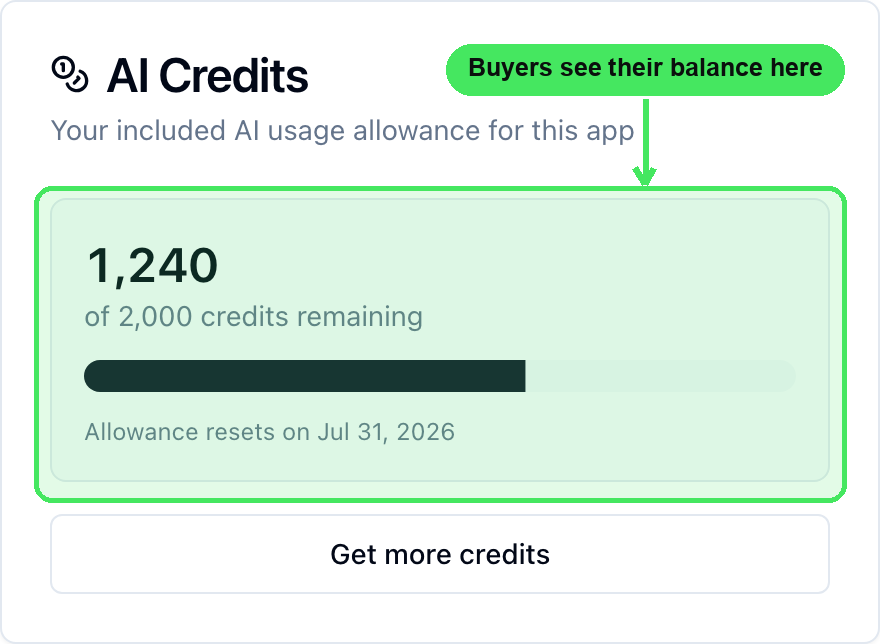
Your app's settings page shows them an AI Credits card with their remaining balance, a usage meter, the reset date, and a top-up button:
Why heavy users become profitable
Without buyer credits, your most enthusiastic users are your most expensive ones: every AI action they take comes out of your balance with nothing coming back. With buyer credits, the relationship flips. The more a customer uses your app's AI, the faster they use their allowance, and the sooner they upgrade or top up. Usage becomes the engine of your revenue instead of a drag on it.
FAQ
Can my customers see their balance? Yes. Your app's settings page shows an AI Credits section with their remaining allowance, when it resets, and a top-up button — the same place they manage their subscription. Apps built before this shipped pick it up the next time you update and republish them, or you can ask the AI in the editor to add a credits display anywhere in your app.
Do unused buyer credits roll over? No. Like your own Overskill allowance, buyer credits reset to the plan's included amount at the start of each billing period. Unused credits don't carry forward.
Can I give a customer extra credits for free? Yes. Open your app's Users view in the editor and grant credits to any customer with a wallet. It's a clean way to handle goodwill gestures, make-goods, or VIP treatment.
What happens if I change the markup mid-cycle? Existing customers keep the rate their current period started with. Your new markup applies when their next billing period begins, so nobody's meter changes mid-month.
What if my customers' usage outruns MY balance? Buyer credits don't change who pays the real cost: you do, from your Overskill balance. If your own balance runs out, AI features pause for everyone until you top up, the same as today. If your app is doing real AI volume, keep auto top-up on so your customers never hit that wall. See out of credits — what now?
How do refunds work? Top-ups and plan purchases go through your app's own checkout, so refunds are between you and your customer through your payment setup, like any other sale you make. If you just want to make a customer whole inside the app, granting them credits from the Users view is usually the fastest fix.
Does this cost me anything extra? No. You pay the same real AI cost you pay today. Buyer credits add a meter on your customers' side and a way for them to pay you for more.
What to read next
- What are credits? — how the meter works overall
- Credits in your published app: who pays for AI usage — the default model buyer credits build on
- Out of credits — what now? — keeping your own balance healthy