

Plumbline
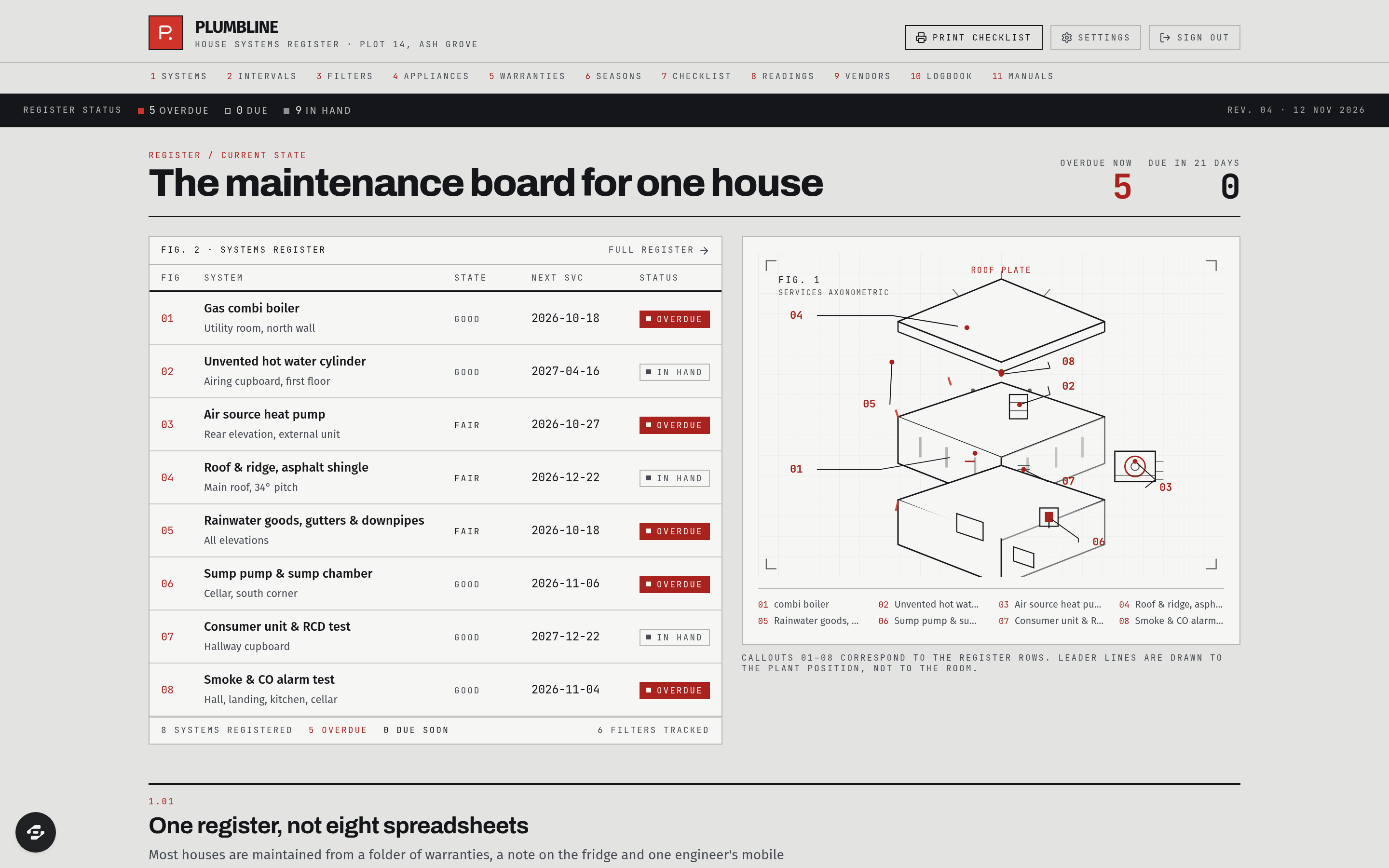
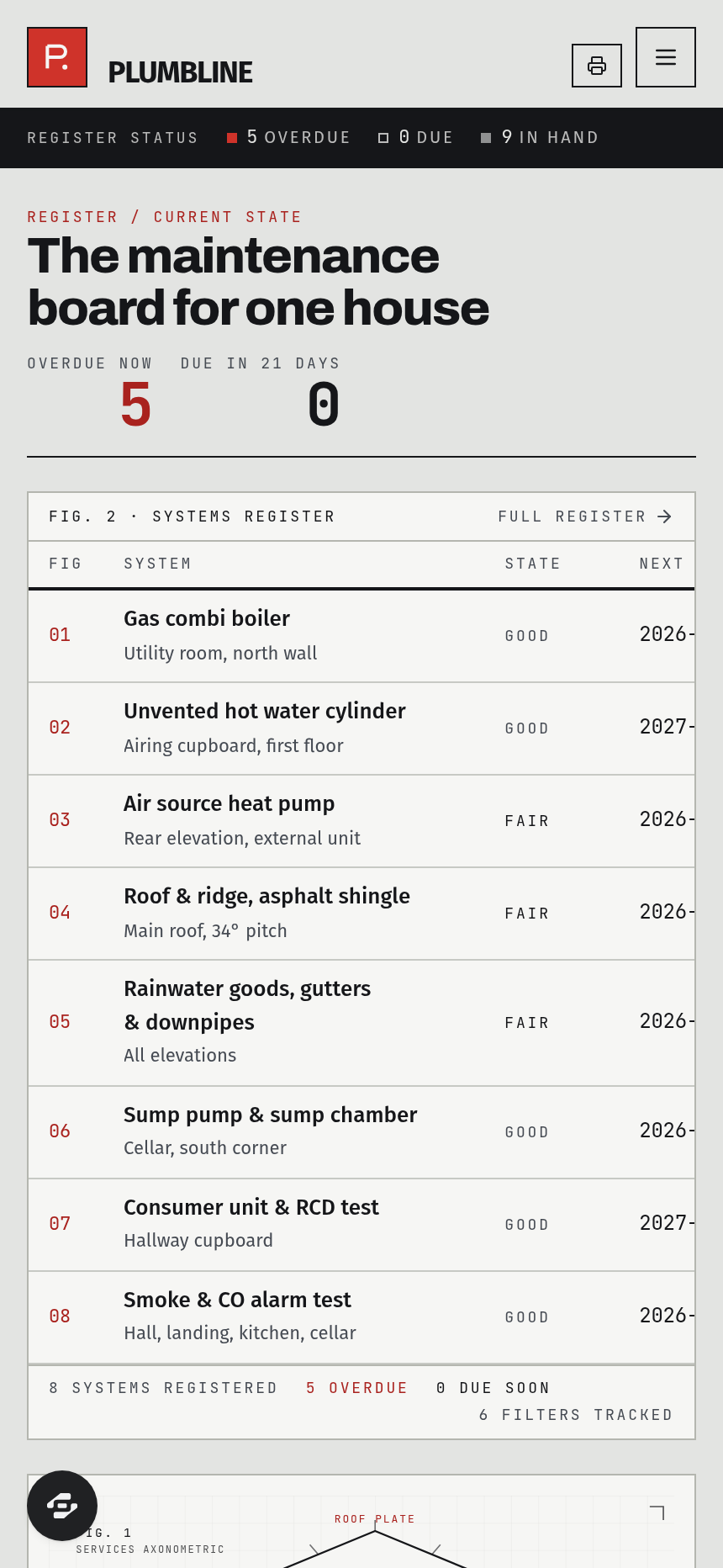
Plumbline is the maintenance register of a single house. Every system in it - boiler, hot water cylinder, heat pump, roof, gutters, sump, consumer unit, alarms - carries its location, its condition, its next service date and whether it is overdue, due soon or in hand.
About this template
Plumbline is the maintenance register of a single house. Every system in it - boiler, hot water cylinder, heat pump, roof, gutters, sump, consumer unit, alarms - carries its location, its condition, its next service date and whether it is overdue, due soon or in hand. The first screen is the board itself, read against an axonometric drawing of the house with numbered figure callouts pointing at the real position of each installation.
Twelve real modules. SYSTEMS REGISTER is the full register with condition and service history. INTERVALS puts every duty in date order with how far off it is. FILTERS tracks each filter with its size written down and where to reorder it. APPLIANCES holds model and serial numbers. WARRANTIES shows what is still covered and for how much longer. SEASONS breaks the year into four rounds of work. LOGBOOK is everything that has ever been done to the house. VENDORS is who to call and what they own. READINGS is twelve months of meter readings with the trend. MANUALS records where the paper copies live. CHECKLISTS is the printable seasonal sheet. JOIN starts an empty register for your own house.
Drawn in the idiom of a 1970s technical standards manual: signal red on cold grey, a tight neo-grotesque, numbered figure callouts with leader lines, spec tables with engraved hairline rules and tabular numerals, exploded isometric line diagrams, and numbered manual sections.
Frequently asked questions
What is the Plumbline template?
How long does it take to build an app with the Plumbline template?
Do I need to code to use the Plumbline template?
How much does the Plumbline template cost?
Can I customize the Plumbline template?
Review current pricing and the template inspection guide before you start.
Related templates
 Utilities
Homestead
Never miss a filter, a flush, or a fall cleanup.
 Utilities
Sundry
Every possession, catalogued and covered.
 Utilities
Voltworks
Quote it. Weld it. Get paid. Run your whole shop like a shop drawing.
 Utilities
Toolbelt
Run the whole day from one board.
Make this template your starting point.
Inspect the preview, plan your changes, and test the workflow before you share it.
Use this template