

A useful client-app demo shows one complete job: enter information, see a result, make a change, and return to it later. We used Overskill MCP to build and revise two chiropractic business demonstrations, checked them in a browser, and prepared proposed implementation packages around the work still needed.
The checks described here took place on September 8, 2026. Both apps use fictional sample data for practice operations and professional relationships. They are public demonstrations; private client deployment remains a separate acceptance step.
A real app you can inspect.
ChiroGrowth Command · Public example with fictional data
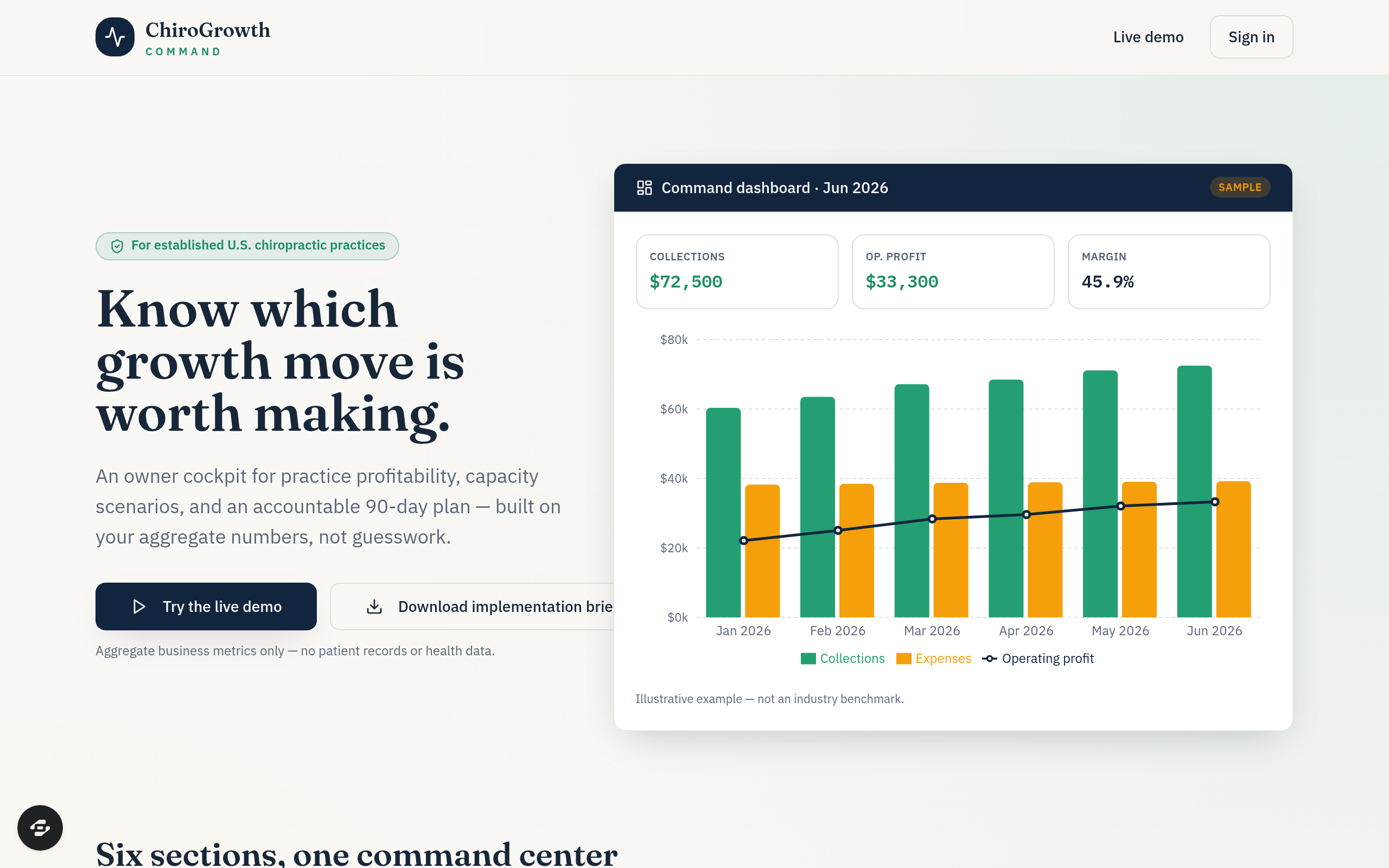
An unchanged capture of ChiroGrowth Command from September 8, 2026. All figures are fictional sample data. The public demo lets you inspect the scenarios behind the interface; this image does not establish private client readiness.
Open full-size screenshotStart with a specific business job
Scroll horizontally to compare all columns.
| Demonstration | Intended user | Workflow to inspect |
|---|---|---|
| ChiroGrowth Command | A practice owner or manager preparing a business review | Review aggregate visits, collections and costs; change a planning assumption; give the resulting action an owner. |
| ChiroPartner Pipeline | A coordinator managing employer and community relationships | Keep a contact's next step visible, prepare a workshop proposal, and review an event's costs and aggregate inquiries. |
Open the Growth demo or Partner demo and use sample data only. Detailed save, edit and reset checks were performed on previews. Production checks covered navigation, direct-page reloads and core calculations.
You can also inspect the public remix pages for ChiroGrowth Command and ChiroPartner Pipeline. Creating a copy continues through sign-in and account access checks. Review current plans and credits. These are remixable public examples; this guide has not created or tested a reader's copy.
Make a planning number explainable
Growth's sample month showed $72,500 in collections and $39,200 in expenses: $33,300 in operating profit. That gives the reviewer a result to check before changing anything.
For one fictional scenario, we added 80 monthly visits, kept $75 collected and $8 variable cost per visit, and added $1,500 in monthly fixed costs. The expected change was:
80 × ($75 − $8) − $1,500 = $3,860 additional monthly profit
$33,300 + $3,860 = $37,160 proposed monthly profit
The app displayed those values. A named scenario survived saving and reloading. Raising the added fixed costs also produced a negative result, making an unattractive assumption visible.
Open Scenario Lab in the public Growth demo to inspect the assumptions. The sample scenario is a decision aid: change one assumption at a time and ask what would have to be true for that change to happen.
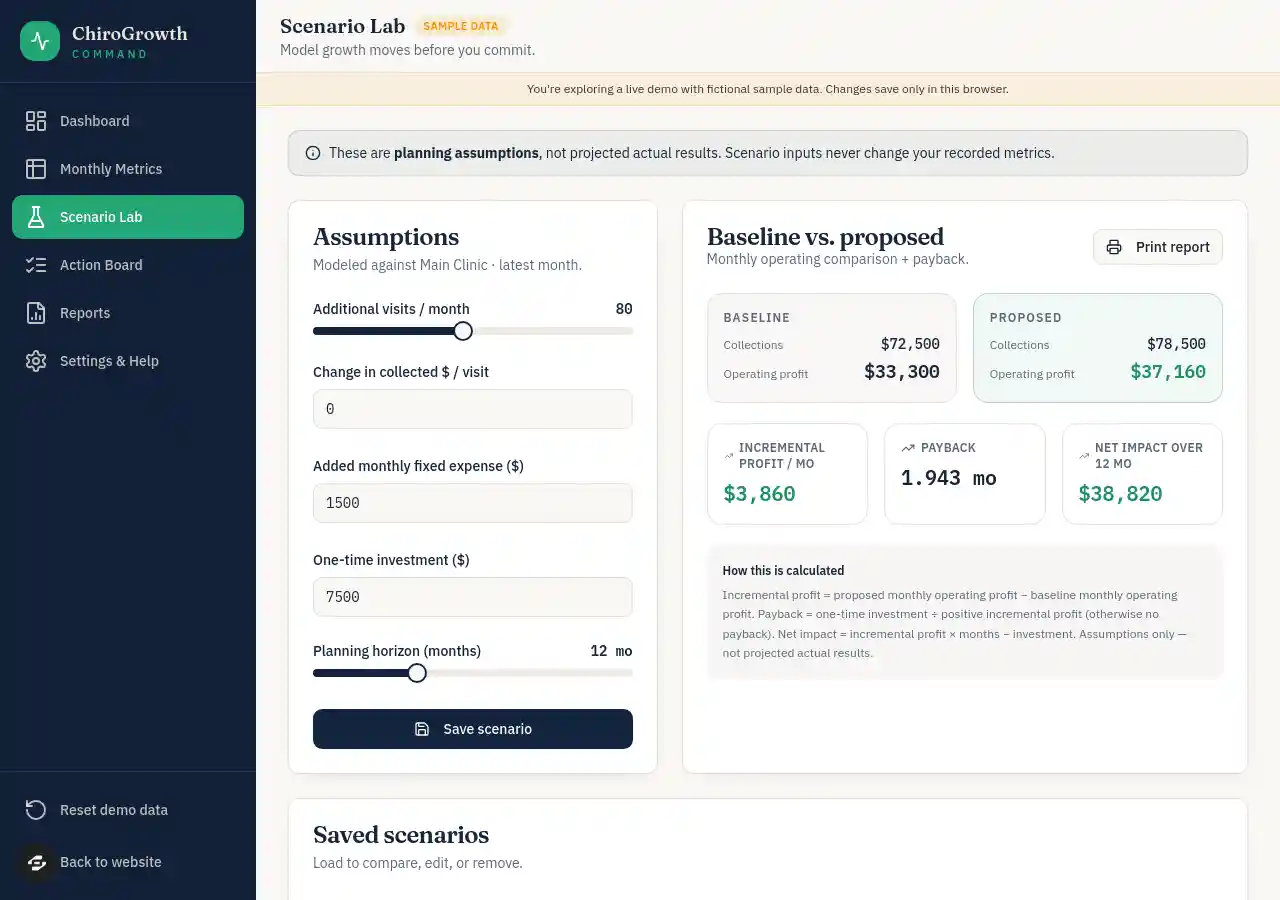
Growth’s public Scenario Lab on September 9, 2026. The fictional scenario with 80 additional monthly visits shows $3,860 additional monthly profit and $37,160 proposed profit.
Open full-size imageThese are fictional test inputs and calculated outputs. They do not establish that a practice gained visits, earned more, or recovered the cost of an implementation.
Follow a record through a change
Partner's completed-event sample used a $500 fee, $300 actual cost, 25 attendees, 10 inquiries and four consultations. Its expected contribution was $200, cost per inquiry was $30, and consultation conversion was 40% of inquiries.
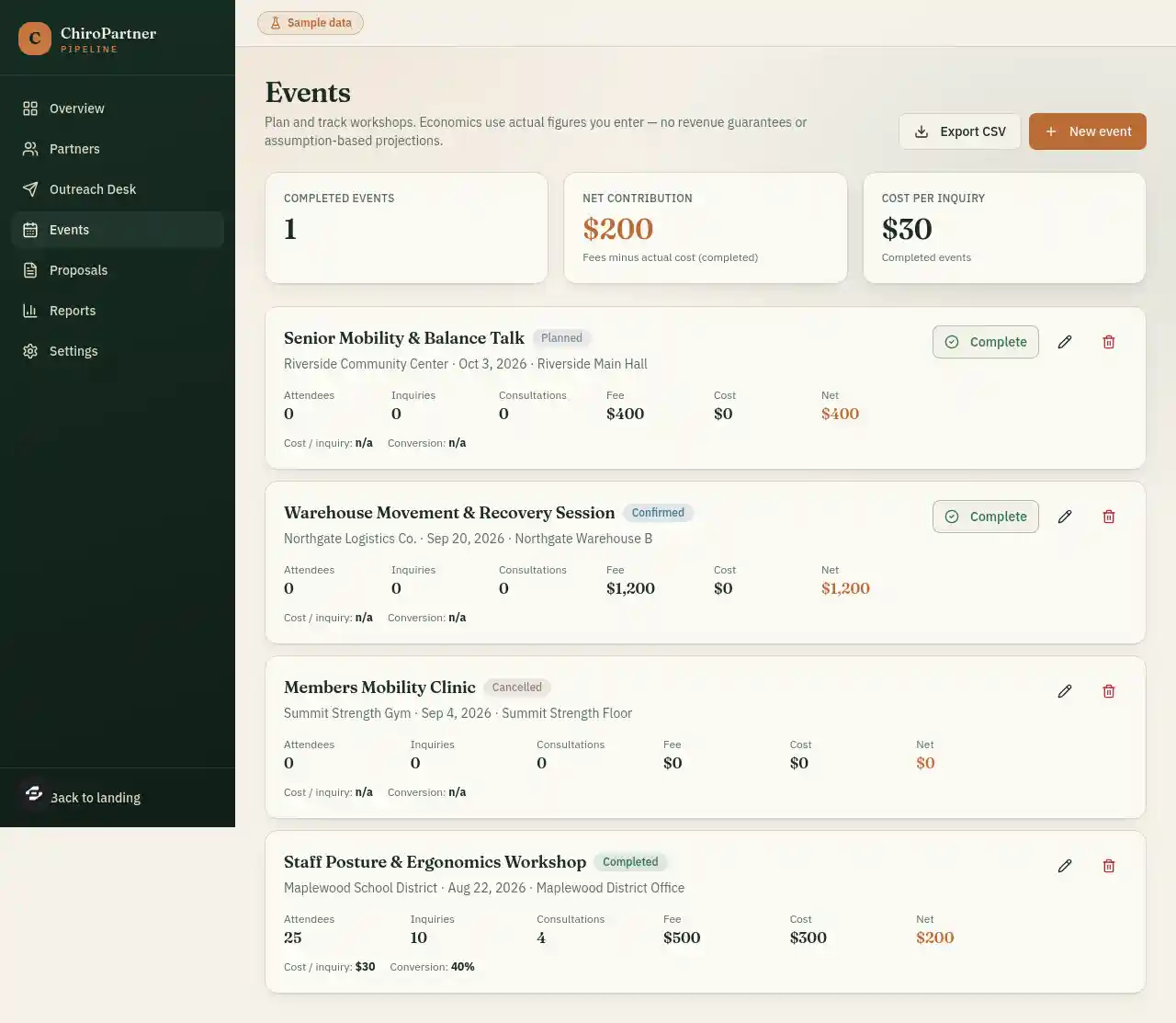
Partner’s public Events view on September 9, 2026. The completed fictional workshop shows a $500 fee, $300 cost and $200 contribution; planned and confirmed events remain separate.
Open full-size imageChanging the cost to $400, saving and reloading changed contribution to $100 and cost per inquiry to $40. Conversion stayed at 40%. The same change appeared in Overview and Reports.
The public Partner Events view lets you inspect the fictional event records behind these totals.
For the work that continues after an event, use the partner-event follow-up worksheet. Its fictional example gives each promise an owner, permission scope and due time, then works through an overdue handoff.
The preview rejected 26 inquiries for an event with 25 attendees. A fictional employer survived creation, search and reload; changing its stage updated the active-partner count. Temporary QA records were removed or reset afterward.
For your own demo, choose one change like this and write down every screen it should affect. It gives a client a practical way to review the workflow with you.
Repair a failure and repeat the journey
The initial builds needed follow-up work. Growth first showed a starter page and a missing demo page. A nested Partner demo page initially redirected to sign-in. Targeted updates addressed those problems; final production checks included opening those pages directly and reloading them.
CSV formatting also needed a repair. Afterward, 42 focused code checks passed against the small export-formatting functions extracted from the repaired preview builds. These checked text formatting and preservation of numeric values. They were separate from browser testing and did not establish that every export or production version had passed.
Actual downloads were obtained and their contents inspected: implementation briefs and a proposal were TXT files; metric and event exports were CSV files. Check both file arrival and the records inside it when an export is part of your offer.
Know what is ready to demonstrate
Both public apps were published and their sampled navigation and calculations checked. Phone-sized preview checks at 390 × 844 included changing a scenario, saving an event, and using mobile navigation.
Private record creation, server persistence and access between independent accounts remain unverified. Complete CSV import, storage-failure recovery and full accessibility testing also remain open. Changes surviving a public demo reload do not prove private account behavior.
Keep patient records, clinical care, insurance billing and EHR integration outside this example. Before introducing real client business data, use the launch checklist and record the results for that client's configuration.
Turn the demo into a reviewable offer
The sales kit proposed a $7,500 Growth implementation and a $6,500 Partner implementation. These were draft offers, not completed sales or validated prices. Configuration, initial data setup, tailored scenarios or proposal templates, staff training and a rollout review were proposed future services.
A useful proposal names the records to configure, who supplies them, how access will be checked, and what training includes. Agree hosting, support and external connections separately. Partner prepares outreach drafts; no outbound message was sent in this example.
Download the editable handoff and offer worksheet to separate demonstrated behavior, proposed services, acceptance checks and recurring costs. Its results start at Not tested for your own app.
To build another example, follow Build, check and publish an app through MCP. It includes a copyable brief and client-work ideas, each with a concrete record and a test to perform.