

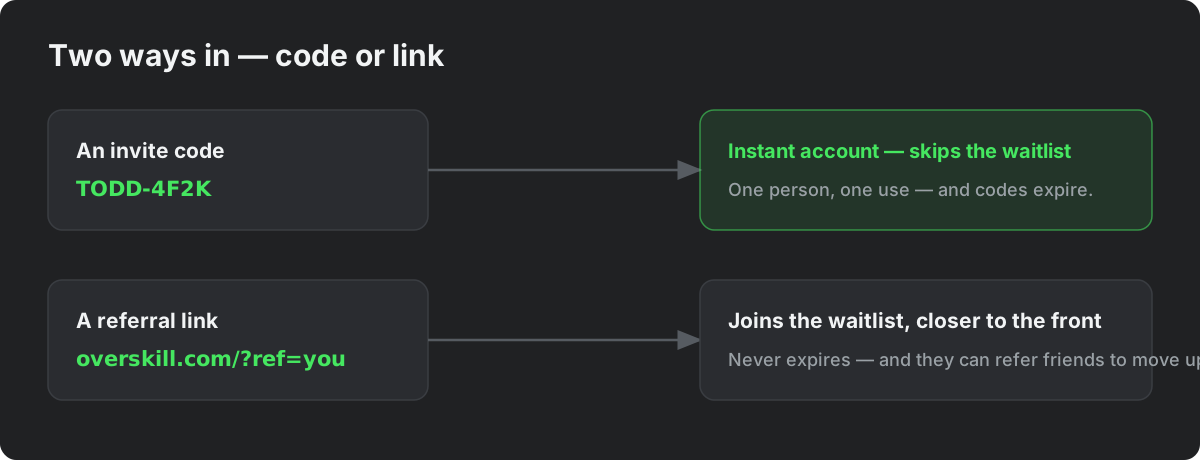
While OverSkill is invite-only, there are two ways into the platform: an invite code (instant access) and a referral link (a waitlist spot near the front). This article covers how to redeem each one, why a code sometimes doesn't work, and where to find invites of your own to share.
One thing this article is not about: inviting users or teammates into an app you built. That works through your app's own sign-up and roles — no invite codes involved. See the last section if that's what you're looking for.
What an invite code is
An invite code is a short code like TODD-4F2K that someone shares with you personally. Each code:
- Admits one person — codes are single-use. Once redeemed, they're done.
- Usually grants instant access — your account is created on the spot and you skip the waitlist entirely. (Some codes instead place you on the waitlist near the front — the invite page tells you which you have.)
- Can expire — most codes are meant to be used within days of being shared, so don't sit on one.
Capitalization doesn't matter — todd-4f2k works the same as TODD-4F2K. Include the dash.
How to redeem an invite code
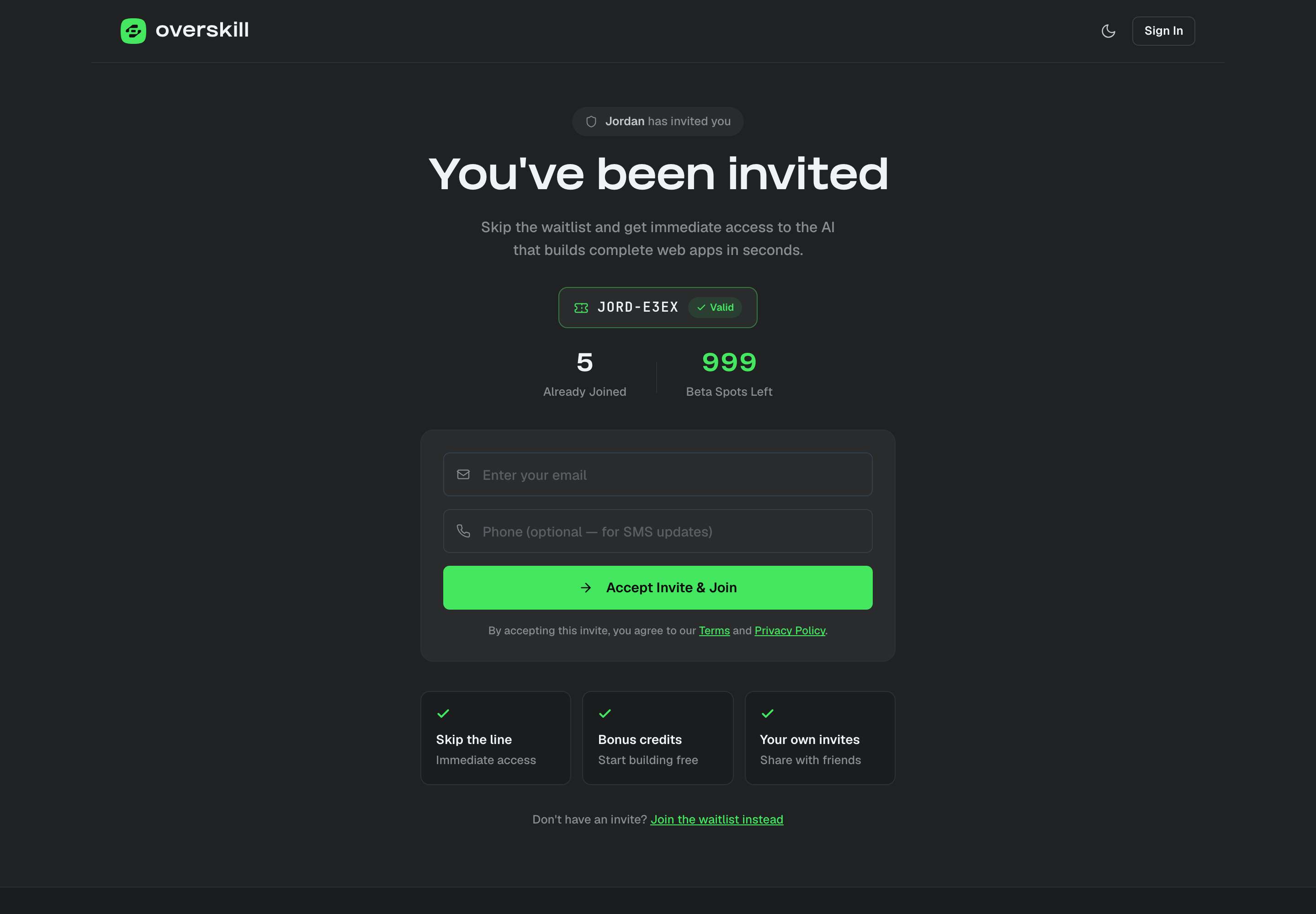
- Open the invite link the person sent you — it looks like
overskill.com/waitlist/invite/YOURCODE. Or go to overskill.com/join, openHave an invite code?
, and type the code there. - You'll land on the invite page, which greets you with who invited you and confirms the code is valid.
- Enter your email and accept the invite.
- For instant-access codes: your account is created immediately. Check your email for a link to set your password, then sign in and start building.
This invite code is invalid or has expired
The most common reasons a code is rejected, and what to do about each:
- It's already been used. Codes are single-use — if the person shared the same code with two people, the second one is out of luck. Ask them for a fresh code.
- It expired. Codes have a shelf life — some as short as 48 hours from when they were issued. Ask for a fresh code, and redeem the next one promptly.
- A typo or copy-paste miss. Copy the whole code including the dash (for example
TODD-4F2K). Capitalization doesn't matter, but a missing character does. If you were sent a full link, open the link instead of retyping. - It was cancelled. Occasionally a code is revoked after being shared. Ask the sender or contact support.
If you can't get a fresh code, you're not stuck: join the waitlist — ideally through the sender's referral link so you're connected to them and start closer to the front.
Already on the waitlist? Already have an account?
- If your email is already on the waitlist, redeeming a code with that email sends you to your existing waitlist dashboard instead of creating a new signup — and your code is not used up. If you're holding an instant-access code and want it applied to your waitlist email, contact support and we'll sort it out.
- If you already have an OverSkill account, you don't need an invite code at all — just sign in. Codes only do something for people who don't have access yet.
Your own invites — earn them and share them
Once you're on the waitlist (or in the product), you can bring people in yourself. Your Invites page at overskill.com/waitlist/invites shows:
- Your invite codes — each one admits one person and skips the waitlist. Personal codes expire about 30 days after they're created, so hand them to people who'll actually use them.
- Your referral link — a permanent link like
overskill.com/join/yourname. It never expires, anyone can use it, and everyone who joins through it counts as your referral. - Bonus invites — you earn extra codes by being a good citizen: publishing your first app earns bonus invites, and so does inviting people who become active builders.
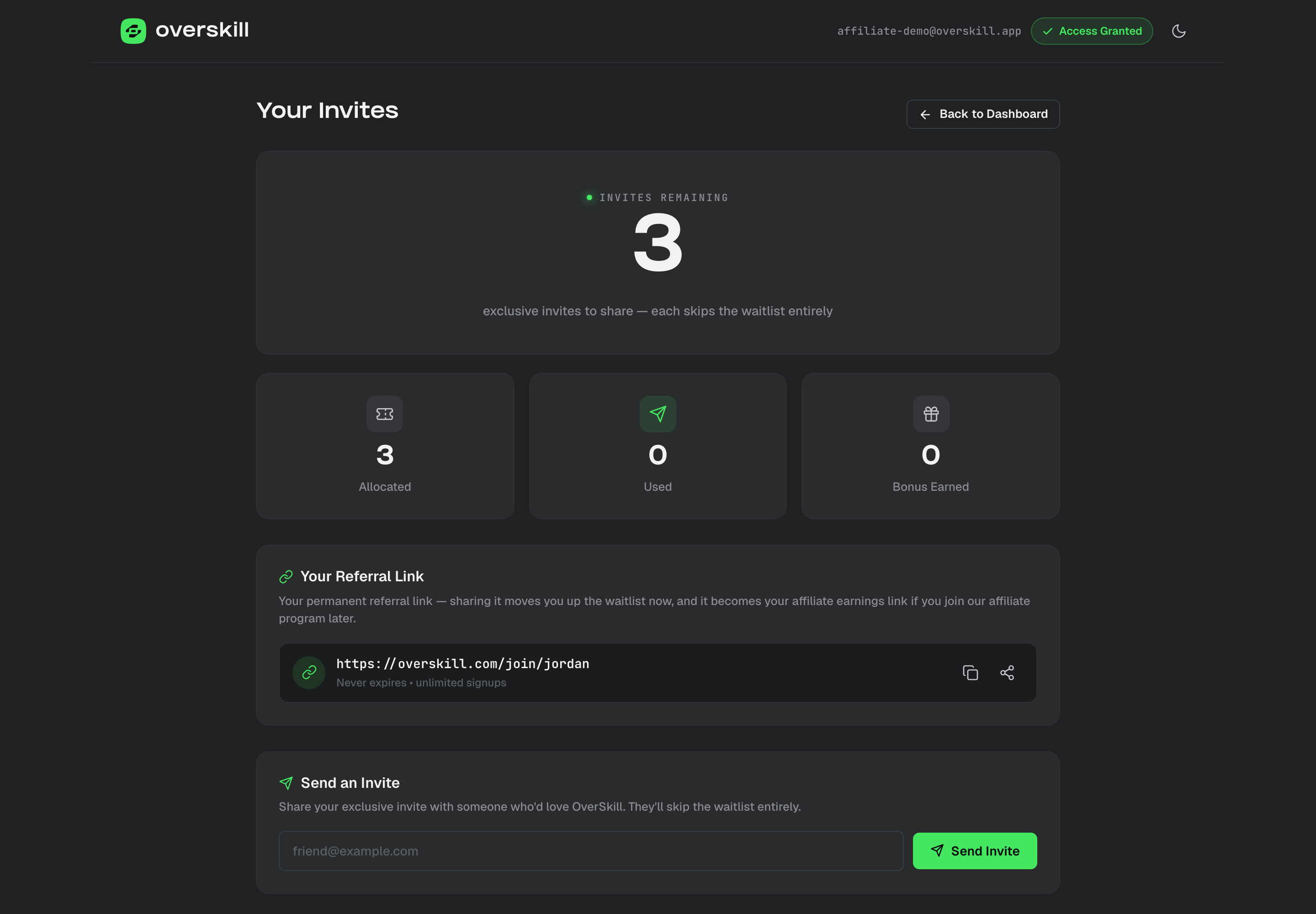
Referrals do more than help your friends: every person who joins through your link moves you up the waitlist too.
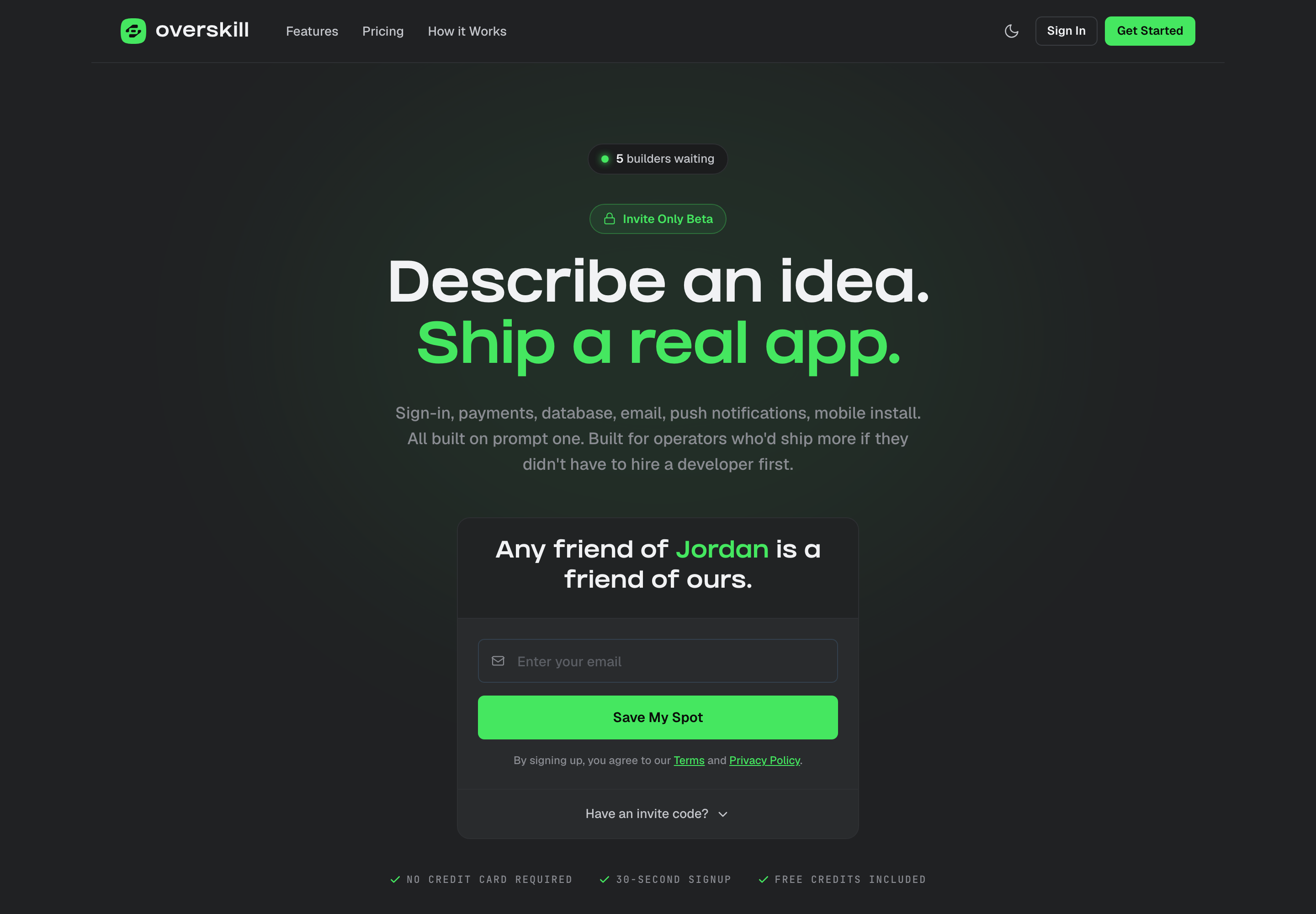
When someone opens your referral link, they land on a personalized join page with your name on it:
For affiliates: granted invite codes
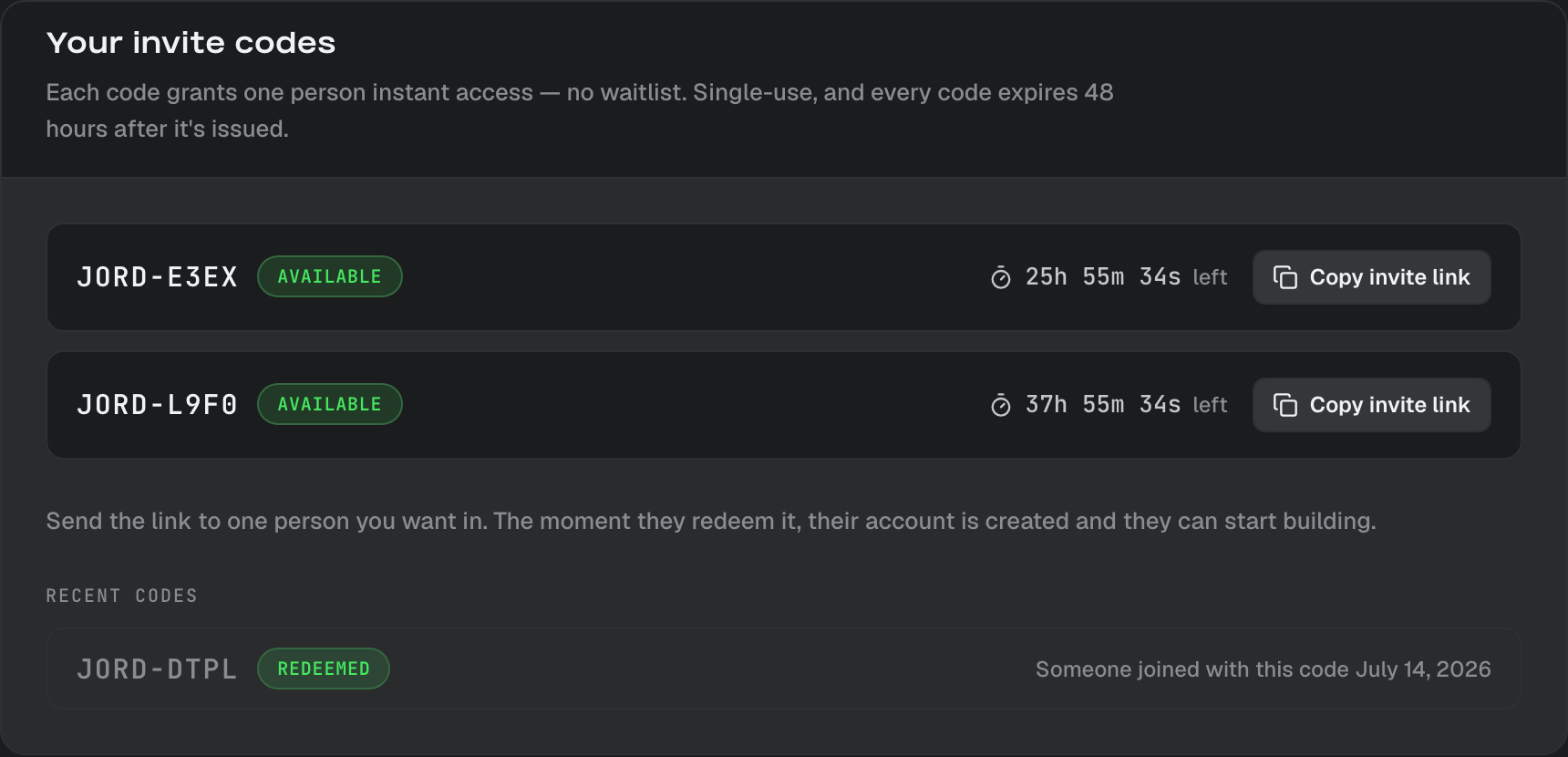
If you're in the affiliate program, we grant you instant-access invite codes directly — they appear on your affiliate page with a live countdown, because affiliate codes expire 48 hours after they're issued. Anyone you bring in with a code (or your link) is attributed to you, so a code redemption can turn into a recurring commission when that person later subscribes.
Inviting people to an app you built is different
Invite codes are for getting into OverSkill itself. If you've built an app and want to invite your users into it, that's a separate system with no codes involved:
- Control who can open your app with visibility settings — public, sign-in required, paid access, or specific email domains. See How your app's users sign up.
- Grant specific people access or special roles by email from your app's user management — see Roles and permissions in your app.
- Inviting someone to edit your app alongside you in the OverSkill editor is different again — see Inviting team members.
What to read next
- Promote OverSkill and earn — turn your referral link into recurring commission
- Build your first app in 3 minutes — for right after you redeem that code
- Getting help in OverSkill — if your invite still won't cooperate