

A salon's appointment picker needs to answer a specific question: which person can finish this service, including cleanup, before their next commitment? Work through one morning on paper before asking an app to answer it for customers.
This planning exercise uses a fictional two-person salon, three services, existing appointments and breaks. It gives you a complete set of possible starts to compare with your own build. Download the editable salon-day worksheet to replace the example with your own service list and schedule.
A real starting point · Bookslot
Bring your schedule to a visible booking flow.
Use Bookslot's service and staff choices to discuss what your salon needs to offer. The worked morning below supplies proposed availability rules to implement and test in your own copy.
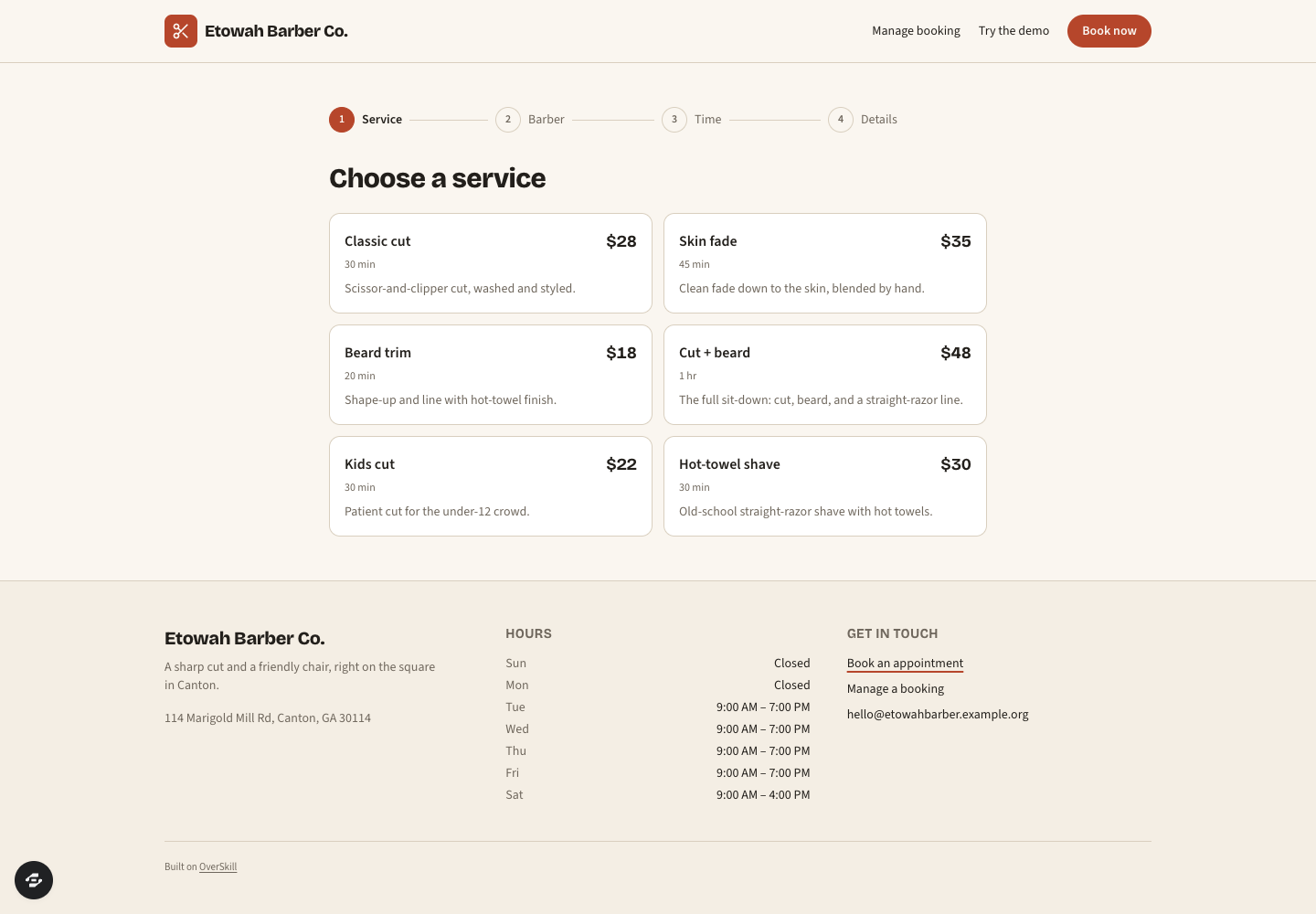
Bookslot's public service screen, captured September 8, 2026. The sample services and durations illustrate the interface; this image does not verify the schedule calculations, saved bookings or confirmations in your app.
Preview captured · Open live preview · View full-size imageWhat to inspect
- List your servicesWrite the customer time and cleanup time separately for each service you offer.
- Name eligible peopleConnect each service to the staff who can deliver it, then enter their shifts and breaks.
- Compare the answersUse the complete sample-day results below to check which starts your adapted app offers.
The public remix page continues through signup or sign-in. Check your account access and credits before creating a copy. Current plans and credits.
Set up one morning
For this example, Ada and Mo work from 9:00 AM to 1:00 PM at one location. All times use the business's local timezone. New appointments start on a 15-minute grid. A staff member handles one appointment at a time, and cleanup occupies that same person. Cleanup must finish by 1:00 PM.
These are deliberately simple planning assumptions. They do not describe Bookslot's current booking engine or establish a salon's actual capacity. If a service has unattended processing time, an assistant handoff or a shared room, model that separately before offering it online.
Scroll horizontally to compare all columns.
| Service | Customer time | Cleanup | Total occupied time | Eligible staff |
|---|---|---|---|---|
| Cut | 30 minutes | 15 minutes | 45 minutes | Ada, Mo |
| Restyle | 60 minutes | 15 minutes | 75 minutes | Ada |
| Beard tidy | 15 minutes | 0 minutes | 15 minutes | Mo |
Zero cleanup for the beard tidy is an example input, not a recommendation. Replace every duration with the time your business actually reserves. Keep the service shown to the customer separate from the occupied time used to calculate availability.
Write down what is already occupied
Enter existing appointments including their cleanup. Enter breaks as separate unavailable periods. Use the time a person becomes free again as the end of each block.
Scroll horizontally to compare all columns.
| Person | Unavailable period | Reason | Free again |
|---|---|---|---|
| Ada | 9:00–9:45 AM | Existing cut, including cleanup | 9:45 AM |
| Ada | 11:00–11:30 AM | Break | 11:30 AM |
| Mo | 9:30–10:15 AM | Existing cut, including cleanup | 10:15 AM |
| Mo | Noon–12:30 PM | Break | 12:30 PM |
A new appointment may begin exactly when an occupied block ends. It may also finish, including cleanup, exactly when a break begins. Under that rule, Ada's 9:45 AM restyle occupies 75 minutes and finishes at 11:00 AM, so it fits before her break.
The free windows are now easy to inspect. Ada has 9:45–11:00 AM and 11:30 AM–1:00 PM. Mo has 9:00–9:30 AM, 10:15 AM–noon, and 12:30–1:00 PM. A free window can fit one service while being too short for another.
Calculate the starts that fit
For each service, consider only eligible staff. Within each free window, begin at the first 15-minute grid point and keep a start only when the full occupied time finishes inside that window.
The following is the complete answer for the unchanged sample morning. Times before noon are AM; times from noon onward are PM.
Scroll horizontally to compare all columns.
| Service | Person | All valid starts |
|---|---|---|
| Cut | Ada | 9:45, 10:00, 10:15, 11:30, 11:45, noon, 12:15 |
| Cut | Mo | 10:15, 10:30, 10:45, 11:00, 11:15 |
| Restyle | Ada | 9:45, 11:30, 11:45 |
| Restyle | Mo | None: Mo is not eligible for this service |
| Beard tidy | Ada | None: Ada is not eligible for this service |
| Beard tidy | Mo | 9:00, 9:15, 10:15, 10:30, 10:45, 11:00, 11:15, 11:30, 11:45, 12:30, 12:45 |
These starts are alternatives, not appointments that can all be sold. Booking Ada's 9:45 cut removes her overlapping alternatives. Recompute the remaining starts after every booking, cancellation, break change or service-duration change.
For an “any staff” cut, show the union of Ada's and Mo's valid starts: 9:45, 10:00, 10:15, 10:30, 10:45, 11:00, 11:15, 11:30, 11:45, noon and 12:15. At 10:15 both people are available; at 10:30 only Mo is. Choose a stated assignment rule and reserve one named person when the booking is confirmed.
Explain the tempting slots that fail
Use rejected starts to check whether your rules match what the owner expects. A calendar should not quietly shorten cleanup or move a break just to fill a gap.
Scroll horizontally to compare all columns.
| Request | Result | Reason |
|---|---|---|
| Cut with Mo at 9:00 AM | Does not fit | Occupied until 9:45; overlaps the 9:30 appointment |
| Cut with Ada at 10:30 AM | Does not fit | Customer time ends at 11:00, but cleanup runs into the break |
| Restyle with Ada at 10:00 AM | Does not fit | Occupied until 11:15; overlaps the break |
| Restyle with Mo at 10:15 AM | Does not fit | There is enough time, but Mo is not eligible |
| Cut with Mo at 12:30 PM | Does not fit | Occupied until 1:15, after the shift ends |
| Beard tidy with Mo at 12:45 PM | Fits | Ends exactly at 1:00 with the stated zero-cleanup input |
For a staff-facing review, show the reason a requested time fails. A customer-facing picker can simply offer available alternatives without exposing another customer's appointment details.
Change one input and check the answer
Suppose Mo's existing 9:30 appointment is canceled and that occupied block is released immediately. Keep every other input unchanged. Mo's first free window becomes 9:00 AM–noon. His cut starts become 9:00, 9:15, 9:30, 9:45, 10:00, 10:15, 10:30, 10:45, 11:00 and 11:15.
The afternoon still has no room for his 45-minute cut. The cancellation does not make Mo eligible for restyles. This small change checks whether your app updates the relevant availability without forgetting the other rules.
Try a second variation in the worksheet: add 15 minutes of cleanup to the beard tidy. Its occupied time becomes 30 minutes. Mo's original 9:15, 11:45 and 12:45 starts should disappear: they run into his existing appointment, noon break and shift end respectively. Work from the original schedule, not the canceled-appointment variation, so you know which input caused the result.
Turn your completed worksheet into a build request
Open the Bookslot preview and compare its service, staff, time and details steps with the choices your customer needs. Review the template, then use your worksheet as the input to an adaptation request:
Adapt this booking flow for our single-location salon.
Use the services, eligible staff, occupied periods, timezone and start grid
from my completed salon-day worksheet. Keep customer duration and cleanup
separate. Show only starts where one eligible person's entire occupied
period fits. Recalculate when the underlying schedule changes.

Use the worksheet's original morning and one-input variations as sample
data. Compare the displayed starts with the written answers. Report
differences and setup still required. Do not submit real bookings or
connect external messages or payments for this planning exercise.
The Bookslot remix page continues through the normal signup or sign-in and access steps. Check current plans and credits before building. This worksheet defines expected behavior; it does not prove a copied app saves appointments correctly.
Once the schedule agrees with the owner, use the service-booking build guide to test competing reservations, saving and returning, cancellation, private access and any configured confirmations. Keep the planning answer and those observed test results side by side.