

Should your event have a volunteer app?
A volunteer app earns its place when a coordinator can answer three questions: who is expected now, who has checked in, and what the next coordinator needs to do. Start with one event and that handover.
Overskill lets you describe the app you want to build, then review and refine it. Use this page to choose a starting point and prepare a one-event pilot. You will leave with a roster example, a boundary for private information and a brief you can adapt.
| Your situation | A useful next step |
|---|---|
| One coordinator can keep the current form and roster accurate | Keep that process. Write down how cancellations and replacements are recorded. |
| Volunteers need a clearer public event page and shift choices | Inspect Rally's interface, then compare it with your own event. |
| A change of coordinator loses arrival information or the next action | Prototype the roster and handover with fictional people before inviting volunteers. |
| You need payments, automated matching, recurring events or a full volunteer-management service | Compare maintained products against those requirements before expanding a custom build. |
Choose someone to maintain the app and the roster. Include that work and any connected services when reviewing current Overskill plans. A new interface will not fix an unnamed owner or an unclear definition of “confirmed.”
Inspect a relevant starting point
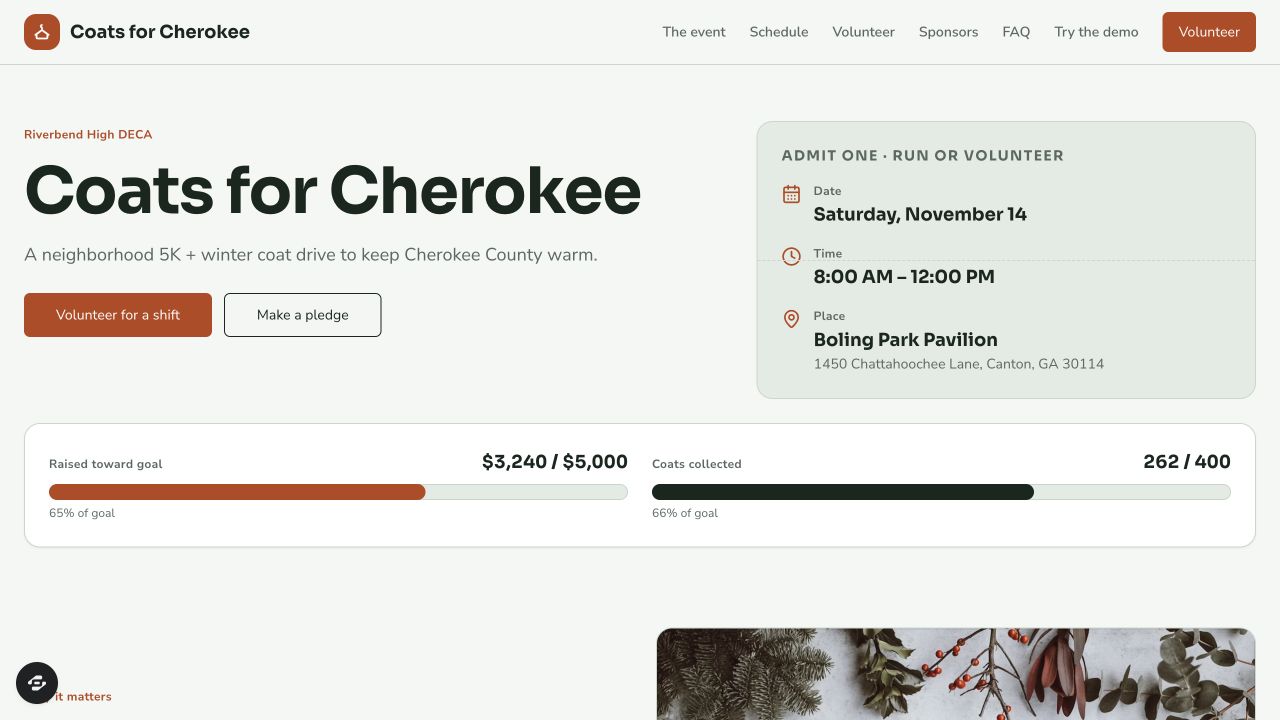
Rally is a community-event starter you can inspect. Its public preview, observed October 9, 2026, showed a fictional event, a schedule, volunteer shifts and a form for choosing a shift. That makes it useful for discussing the volunteer-facing journey.
Open Rally's preview and compare its labels and steps with your event. The form's appearance does not establish that a signup is saved, a place is reserved or private details are protected. Check those behaviors in your configured copy. The roster and handover below are requirements for your pilot, not verified Rally features.
If the interface fits and the reviewed starter is available above, choose Remix Rally. The entry offers sign-up and sign-in. Building still uses the account's normal access and credits. If the starter is unavailable, use the pilot card below to prepare a custom brief without choosing a template.
Keep a request separate from a confirmed assignment
For the first pilot, volunteers may request a shift; a coordinator confirms the assignment. The public form should explain that request received does not yet mean a place is confirmed. Test any later self-service reservation rule separately.
The coordinator's roster is the authoritative list. A cancellation stays in its history, and a replacement gets its own assignment linked to the canceled one. Check-in records what someone observed at the event. A confirmed volunteer who has not checked in remains unresolved until the coordinator checks what happened.
The fictional Cedar Welcome Day illustrates the distinction. All times below are local to its November 14, 2026 event in America/New_York. This is a small planning example, not an event operated by Overskill.
Scroll horizontally to compare all columns.
| Assignment | Volunteer | Shift | Roster state | Observation at 09:10 |
|---|---|---|---|---|
| A01 | Ada | Welcome, 09:00–10:00 | Confirmed | Coordinator recorded arrival at 08:57 |
| A02 | Bea | Welcome, 09:00–10:00 | Canceled | Excluded from the active roster; retained in history |
| A03 | Cam | Sort, 10:00–11:00 | Confirmed | Shift has not started; no arrival recorded |
| A04 | Dev | Sort, 10:00–11:00 | Confirmed | Shift has not started; no arrival recorded |
| A05 | Eli | Cleanup, 11:00–12:00 | Confirmed | Shift has not started; no arrival recorded |
| A06 | Fay | Welcome, 09:00–10:00 | Confirmed; replaces A02 | No arrival recorded; coordinator needs to check |
Welcome needs two people, Sort needs two and Cleanup needs one. Six historical assignment rows contain five confirmed assignments for five different people. All five required places are assigned. Only Welcome is in progress at 09:10: one volunteer has a recorded arrival and one needs checking. The three future-shift volunteers are not classified as no-shows.
An event can have every place assigned while still needing an arrival check. Keep those two questions visible. If you need timed holds, group bookings or a waitlist, use the separate capacity-planning worksheet to define that policy.
Give each person the information they need
Choose a visibility rule before sharing a roster. This is a proposed boundary for the pilot; it must be enforced in the app, including direct record links and exports.
Scroll horizontally to compare all columns.
| Person | May see | May do |
|---|---|---|
| Signed-out visitor | Event details, shift tasks and aggregate unassigned places | Request a shift; receive a clear explanation of what happens next |
| Volunteer with verified access | Their own request and confirmed assignment | Request a change to their own assignment |
| Authorized coordinator | The private roster, cancellation history, arrivals and handover notes | Confirm or change assignments, record arrivals and own unresolved actions |
Keep contact details, individual attendance and coordinator notes off the public page. Do not treat possession of a name or an unverified email address as permission to open someone's record. A volunteer's change request should not silently alter the confirmed roster.
Use two-account private-record checks to test these rules. Leave exports out of the first version unless they serve a real coordinator task; if you add them, test the exported data as well as the screen.
Hand over one unresolved arrival
At 09:10, Morgan hands the event to coordinator Lee. The useful note is specific:
Welcome has two confirmed assignments. Ada's arrival is recorded at 08:57. Fay's arrival is not recorded. Lee owns the next check: confirm at the welcome desk whether Fay has arrived, then record the outcome by 09:15. Do not cancel or replace A06 solely because its arrival is unknown.
The 09:15 time is a follow-up deadline. Passing it does not invent an arrival, declare a no-show or send a message. If the check is unresolved, keep the owner and next action visible.
Download the completed and blank event pilot card. Use it to specify the public page, private roster and handover together. Its Expected, Observed and Status columns keep a proposed behavior separate from a test you have actually performed.
Turn the pilot into a build brief
Start with fictional records and a small scope. Adapt this text in the composer, or use the Overskill brief builder to enter your audience, outcome, records and access rule. Review the resulting prompt, then choose Start build.
Build a volunteer-event app for one small community event. Start with fictional Cedar Welcome Day. Keep a public event page and shift-request form separate from a private coordinator roster. Requests need coordinator confirmation before they become assignments. Preserve canceled assignments and link replacements to their originals. Record an arrival with the assignment, observer and time. At 09:10, the sample must show five confirmed assignments, one recorded Welcome arrival, one unresolved Welcome arrival and three future-shift volunteers. Keep one named coordinator, next action and due time for the unresolved arrival. Visitors see no individual roster or contacts. Volunteers with verified access see only their own records; authorized coordinators manage the roster. Test those permissions on the server. Use sample data and no external messages, payments or automated matching. Show a second coordinator the same saved state after leaving and returning. Keep the current roster process in operation until these checks pass.
If you are still choosing the job, begin with Part 1 of the learning path. The app-brief guide helps turn the pilot into records and acceptance checks. Before inviting volunteers, test a cancellation and replacement, a coordinator handover, direct private links and the form on a phone. Record the observed result; leave unperformed checks marked Not tested.