Coaching · 7 min read
Start with a customer task, then write the app brief
Find a task someone already does, ask about a recent example and decide whether to prototype. Includes a fictional booking exercise and an interview worksheet.
Choose a problem, plan the workflow, then turn your instructions into an app in Overskill. Follow these five parts from your first decision through testing and launch.
Free to read. No signup needed to plan your app. Meet the authors →
Follow the parts in order, or return to the step you need. The workflow recipes are options for different apps, not required chapters in one long project.
Start with a real task and decide what a useful first app should do.
Coaching · 7 min read
Find a task someone already does, ask about a recent example and decide whether to prototype. Includes a fictional booking exercise and an interview worksheet.
Make a decision · 7 min read
Compare two AI app builders with one client-portal brief. Record your test results in a fillable worksheet, keep unresolved requirements visible, and export your notes.
Choose the example closest to your project. These are alternative recipes; you do not need to complete every one. Keep your own app in mind as you define its records and rules.
Optional workflow recipe · 5 min read
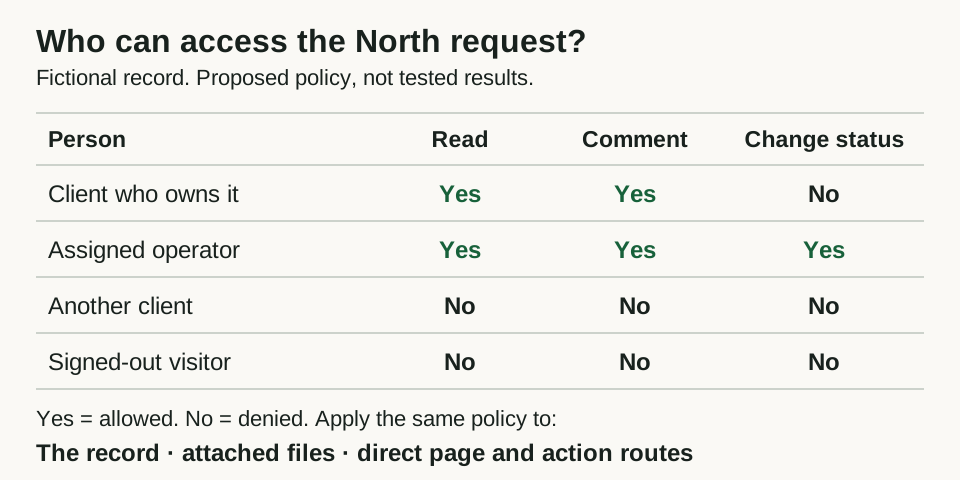
Plan a client portal with requests, files, approvals, and private workspaces. Includes a data model, example prompts, and a two-account test plan.
Optional workflow recipe · 8 min read
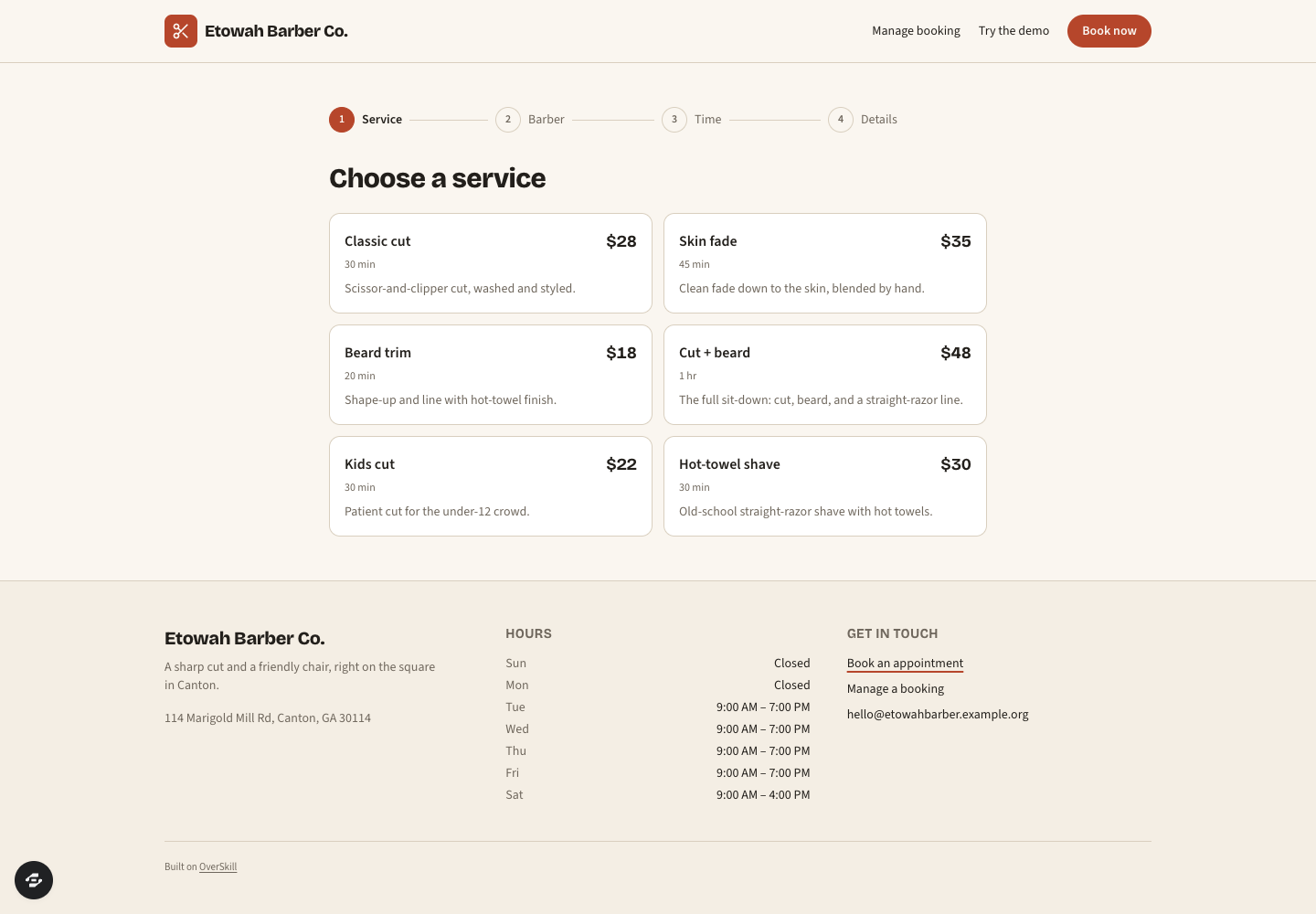
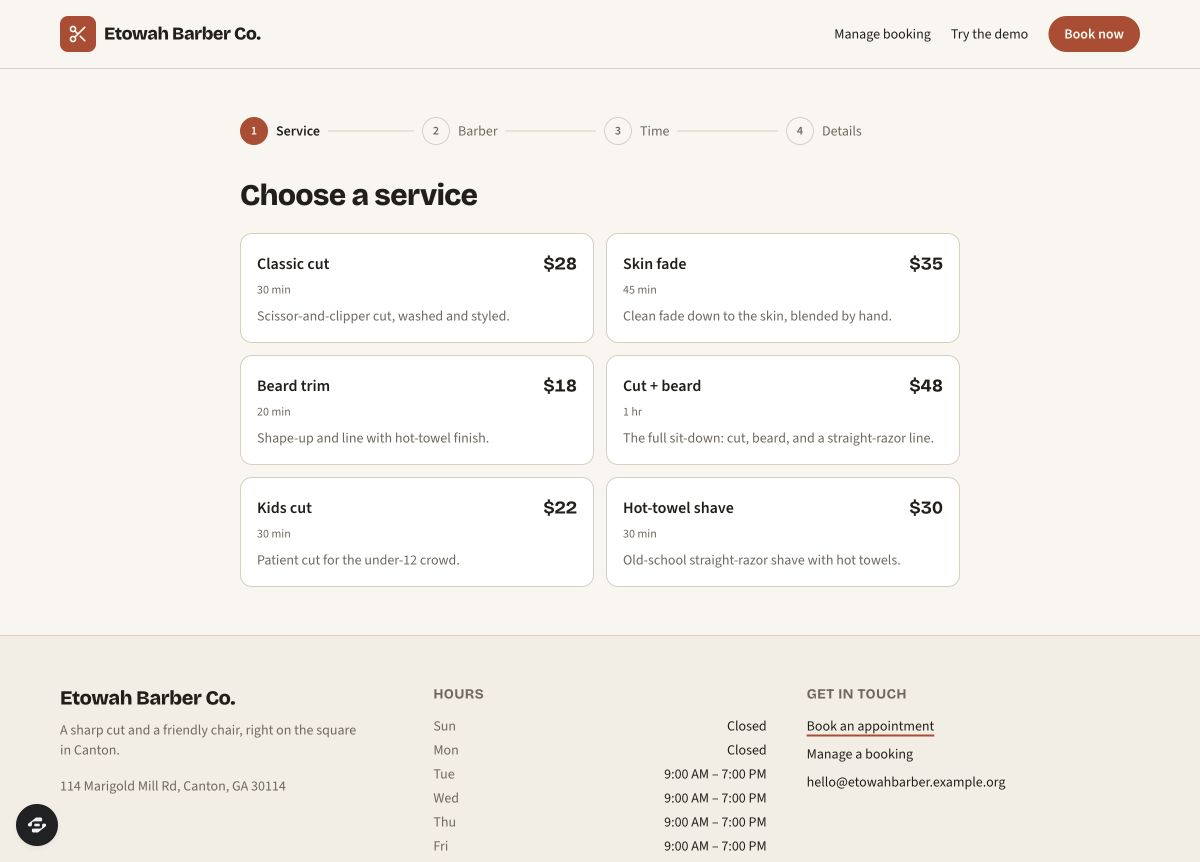
Plan availability, prevent double bookings, and handle changes. Includes a real Bookslot preview tour, a copyable build brief, and an editable test worksheet.
Optional workflow recipe · 7 min read
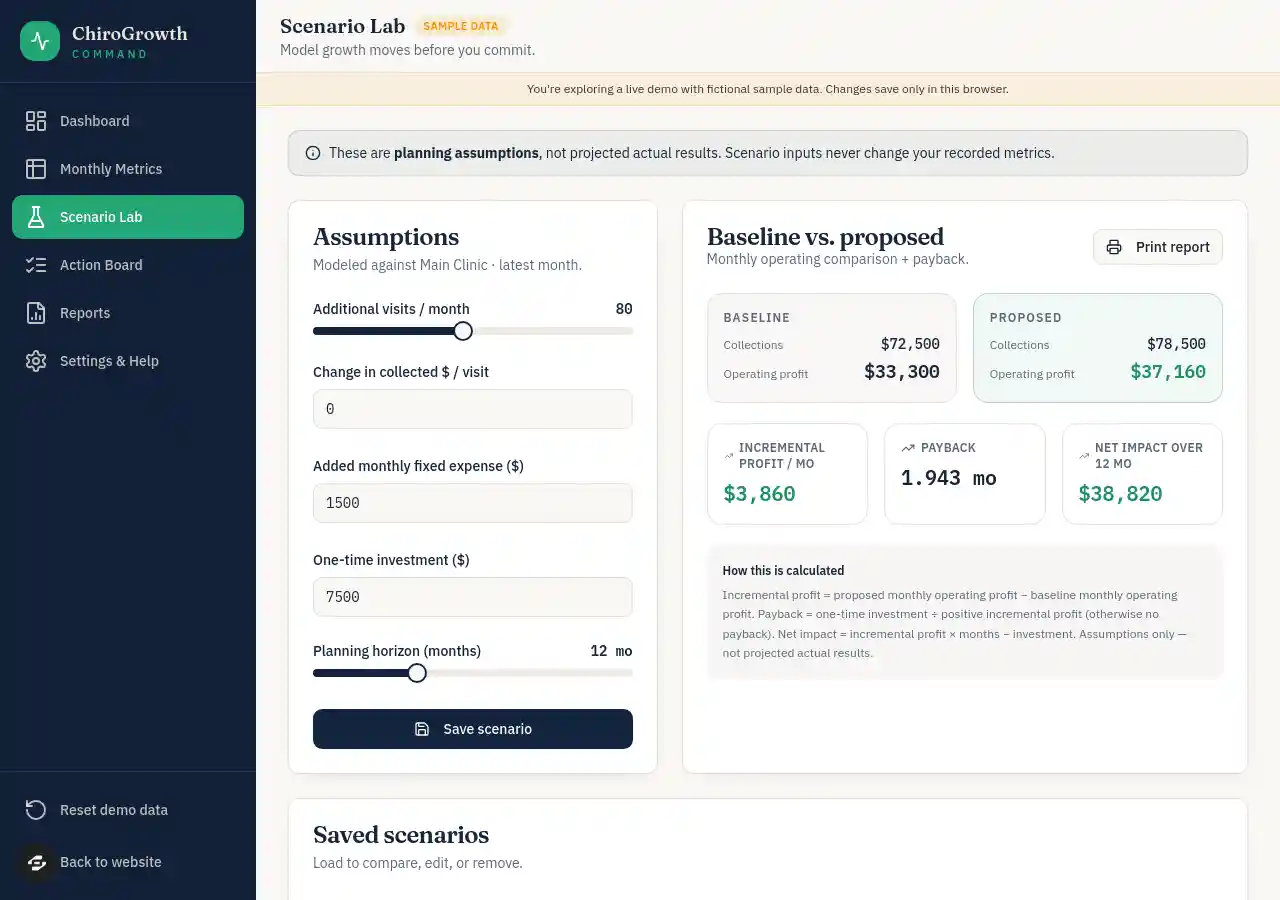
Design a calculator or planning tool around a useful answer. Includes transparent scenario math, a format comparison and a workshop-app brief you can reuse.
Optional workflow recipe · 8 min read
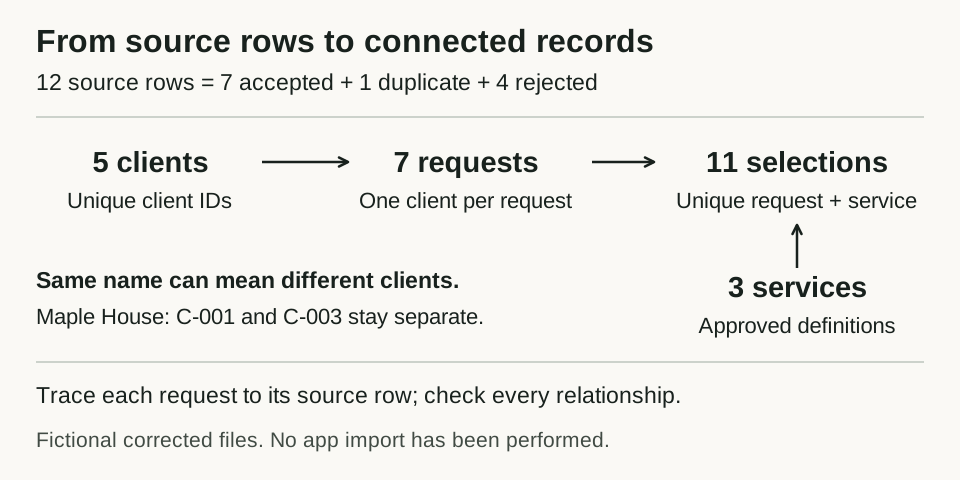
Map a mixed spreadsheet into clients, requests and services. Includes fictional CSVs, cleanup rules, a rejected-row log and exact record-count checks.
Optional workflow recipe · 8 min read
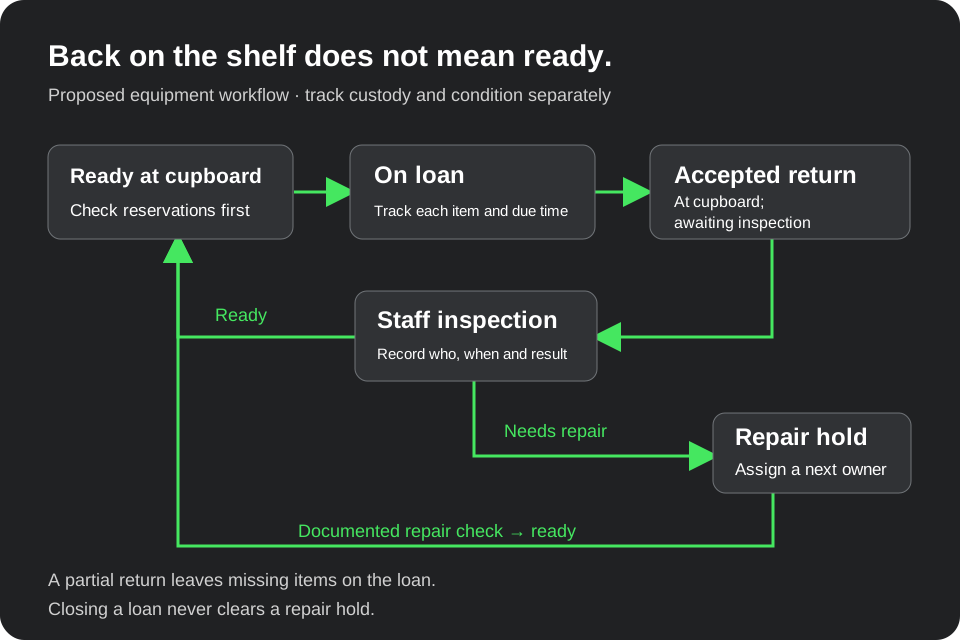
Separate equipment custody, condition and reservations with a fictional six-item ledger, partial return, repair hold and overdue view. Includes a workflow diagram and editable worksheet.
Optional workflow recipe · 9 min read
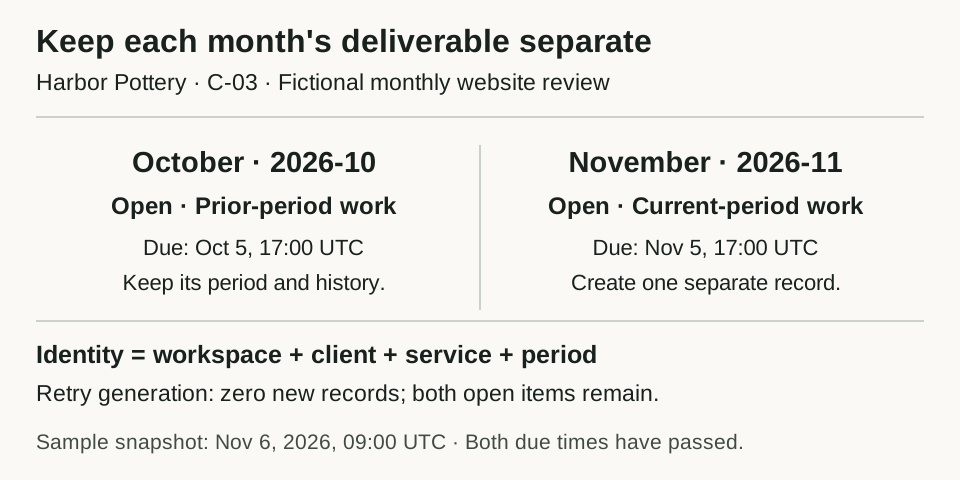
Keep each client's monthly deliverable distinct with a fictional two-period ledger, skipped cycle, late carryover and preserved deadline changes. Includes an editable worksheet and retry checks.
Optional workflow recipe · 8 min read
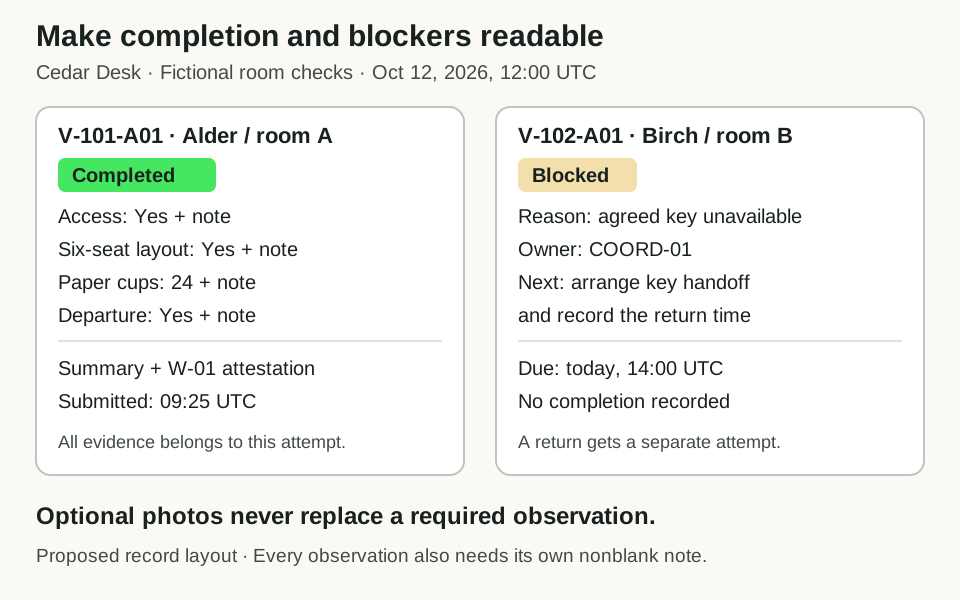
Distinguish assigned, attempted, blocked and completed visits with four fictional room checks, exact evidence rules and an owned return visit. Includes an editable worksheet and answer key.
Optional workflow recipe · 8 min read
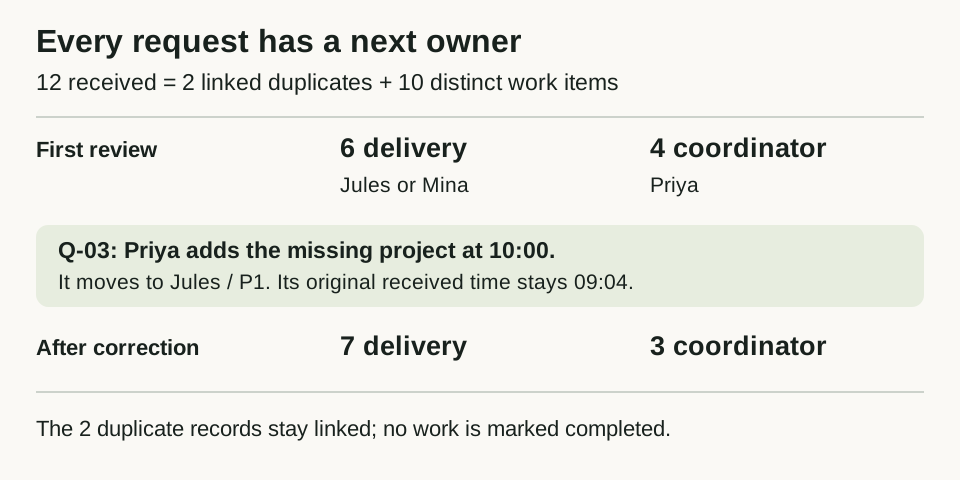
Route twelve fictional service requests using ordered rules, visible ownership and an explained worklist. Includes a filled answer key and editable triage worksheet.
Optional workflow recipe · 8 min read
Map each renovation phase to a homeowner decision, owner and deadline. Includes a filled client update, a decision log, a revision handoff and an editable planning worksheet.
Optional workflow recipe · 7 min read
Work through a fictional two-person salon morning with three services, breaks and cleanup. Includes every valid start, rejected-slot explanations and an editable schedule worksheet.
Optional workflow recipe · 9 min read
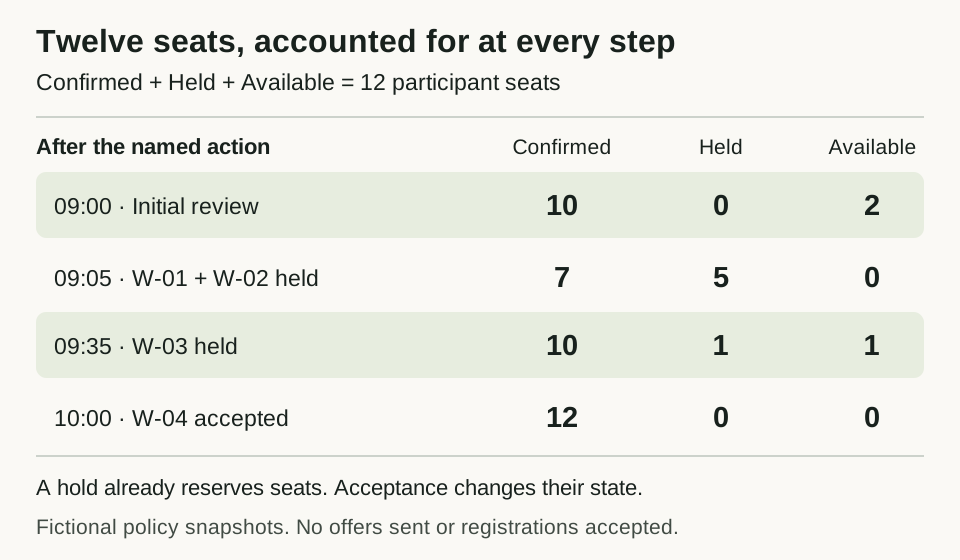
Reconcile a fictional twelve-seat workshop through group cancellations, timed holds and a strict waitlist. Includes a complete seat ledger and editable worksheet.
Optional workflow recipe · 9 min read
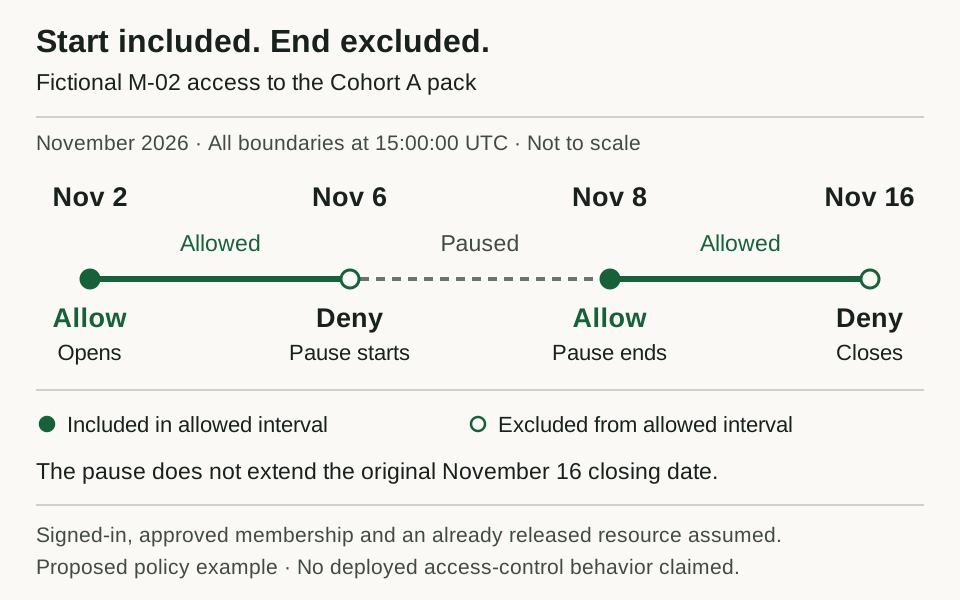
Define exact cohort access windows, pauses, cancellation, rejoining and transfers with a fictional UTC timeline and boundary tests. Includes an editable policy worksheet.
Optional workflow recipe · 8 min read
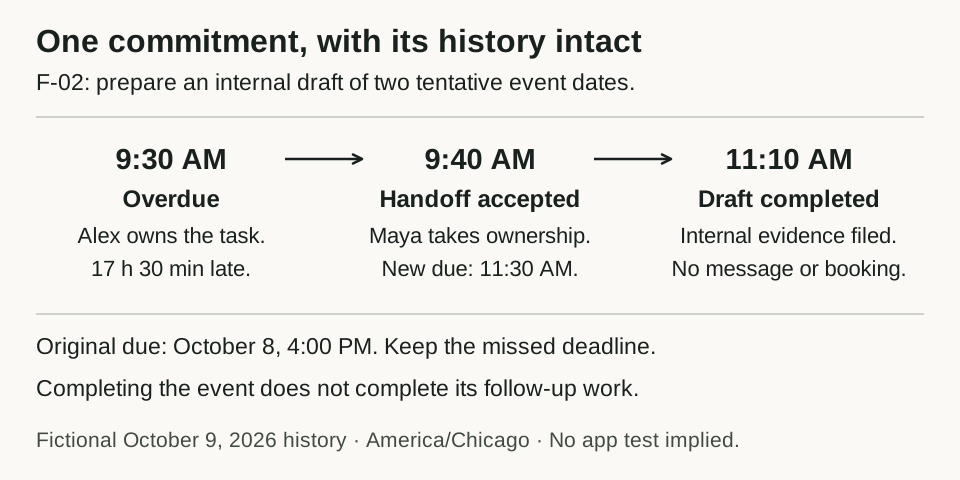
Turn a fictional employer workshop into owned follow-up work with permission scope, deadlines, an overdue review and a worked reassignment.
Optional workflow recipe · 7 min read
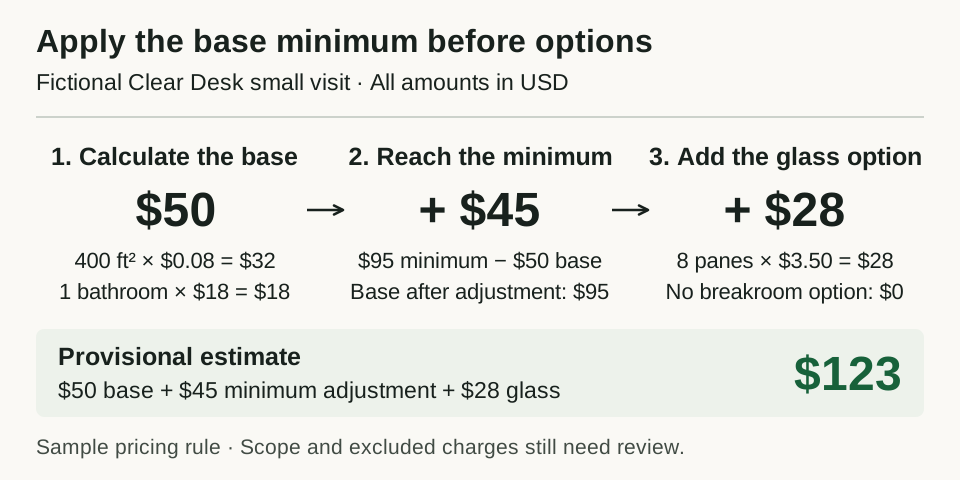
Specify a provisional cleaning estimate with exact cents, an explained minimum charge, selected options and eighteen input cases. Includes an editable formula worksheet.
Optional workflow recipe · 6 min read
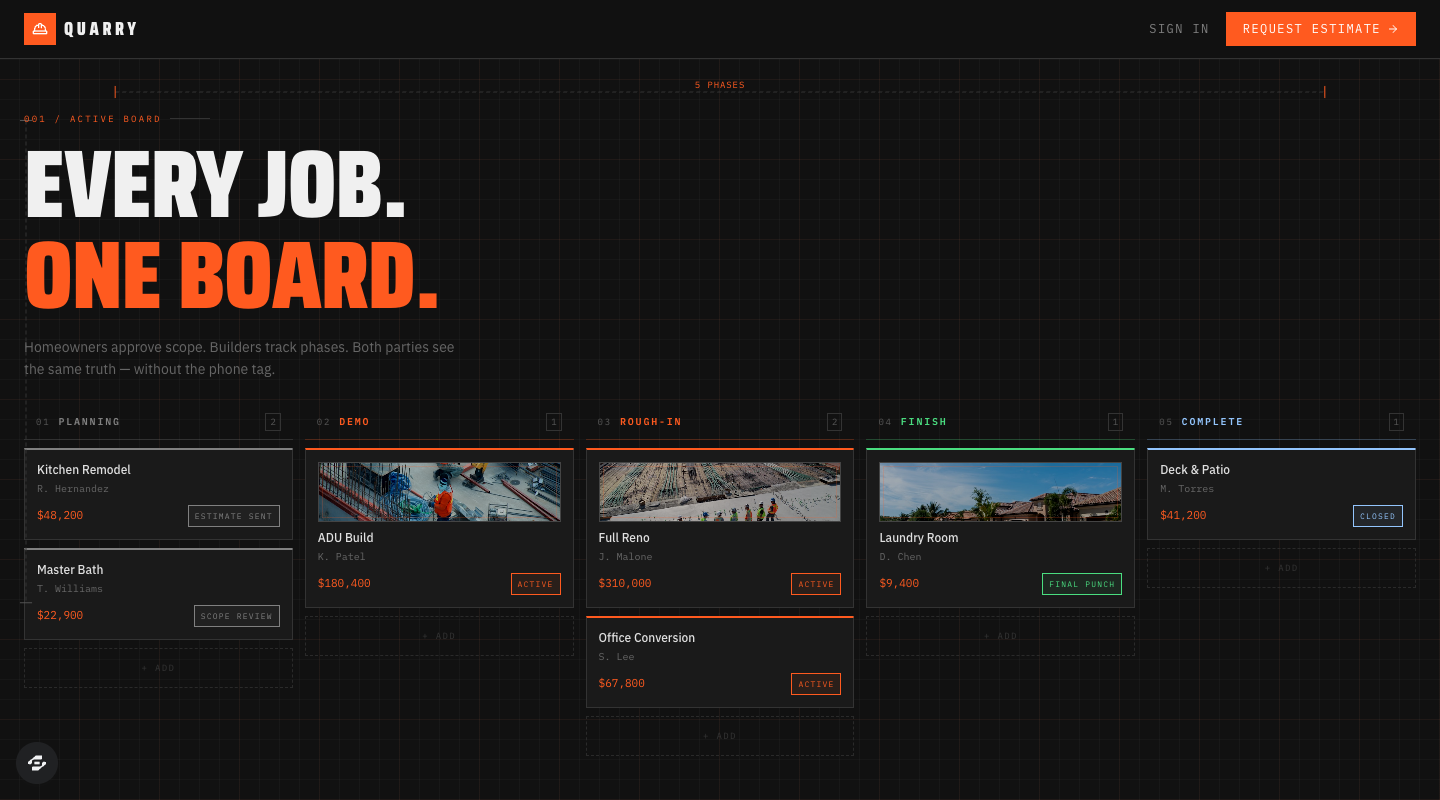
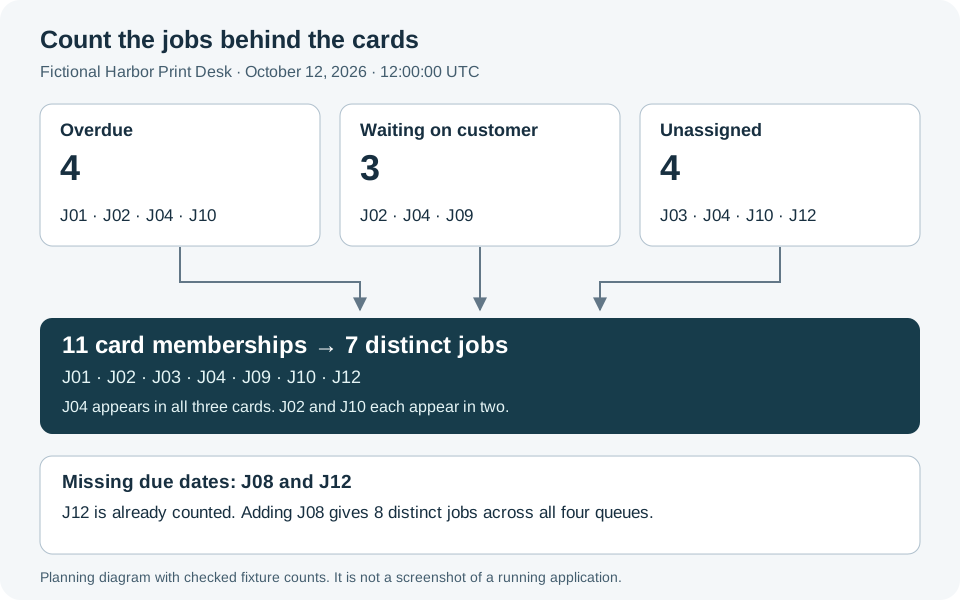
Define exception rules before arranging dashboard cards. Reconcile twelve fictional print jobs, overlapping counts, missing due dates and one completed job with an editable dataset and worksheet.
Optional workflow recipe · 4 min read
Try a transparent workshop-format matcher. See eligibility, preference, ties and no-fit results change with your answers, then adapt the rule matrix and 32-case answer table.
Turn your decisions into a brief. Start a build in Overskill, inspect a template to remix, or use your connected assistant.
Start here · 5 min read
Turn a vague app idea into a buildable brief with a worked client-portal example, clear permissions, acceptance tests, and a free brief builder.
Make a decision · 5 min read
Choose your starting point by workflow, data, permissions, and maintenance. Includes a template inspection checklist and a practical remix prompt.
Build guide · 7 min read
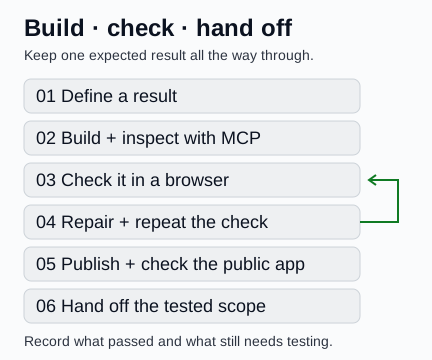
Connect your assistant, write a testable brief, check an app in the browser and repair a specific failure. Includes a downloadable brief, client-work recipes and a handoff worksheet.
Worked example · 6 min read
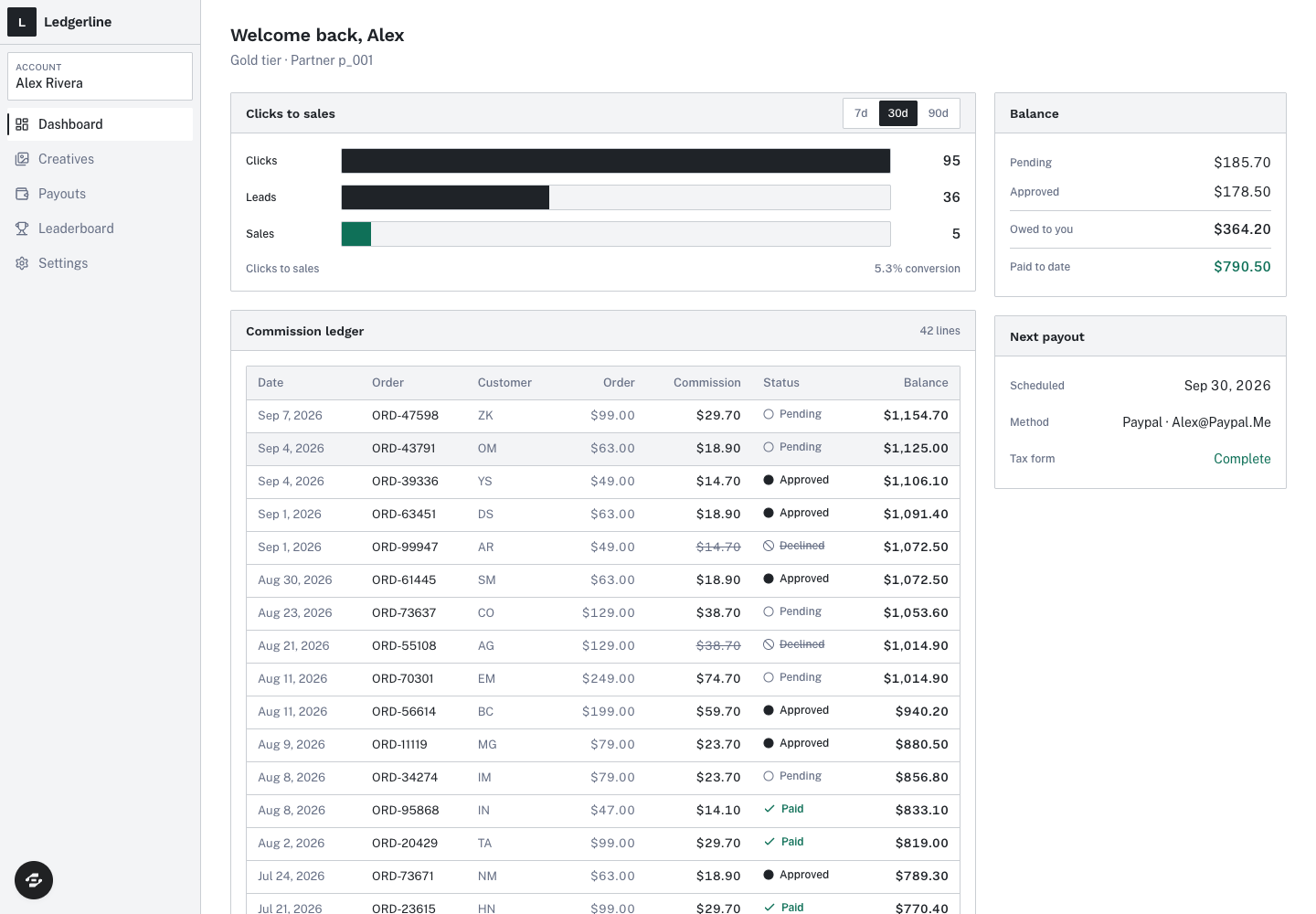
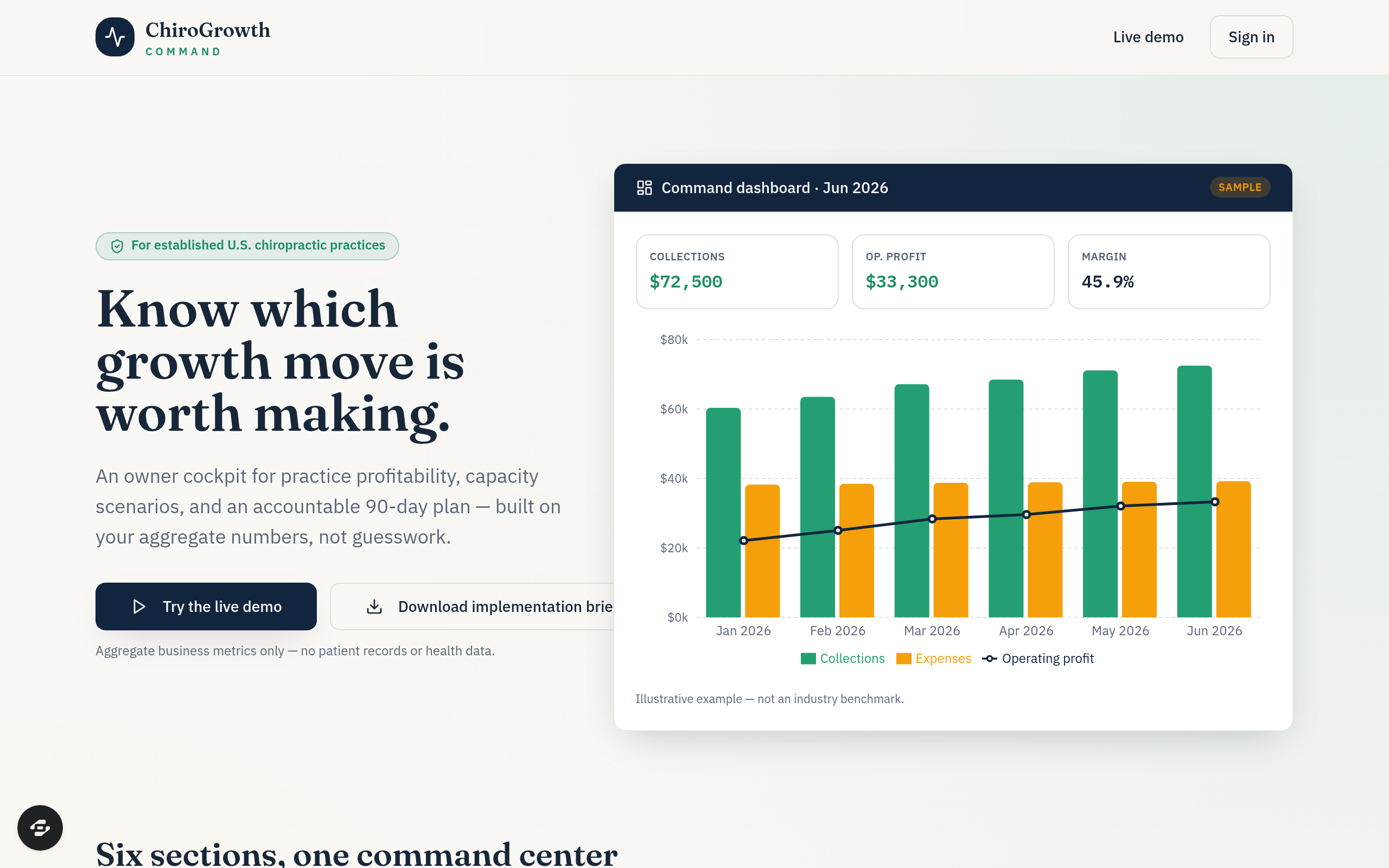
Explore two live business demos built through Overskill MCP. Inspect their sample calculations, remix a public example, and see how browser checks shaped the final result.
Try the actual screens, saved records, permissions and recovery paths with sample data. Repair what fails before inviting people in.
Design · 7 min read
Review hierarchy, labels, status, keyboard use and mobile layouts with real Bookslot and Quarry screenshots. Includes an editable design-review worksheet.
Engineering · 7 min read
Turn private-access requirements into a concrete test matrix. Check record ownership, copied links, role changes and exports using accounts you control.
By Jason Sich
Engineering · 7 min read
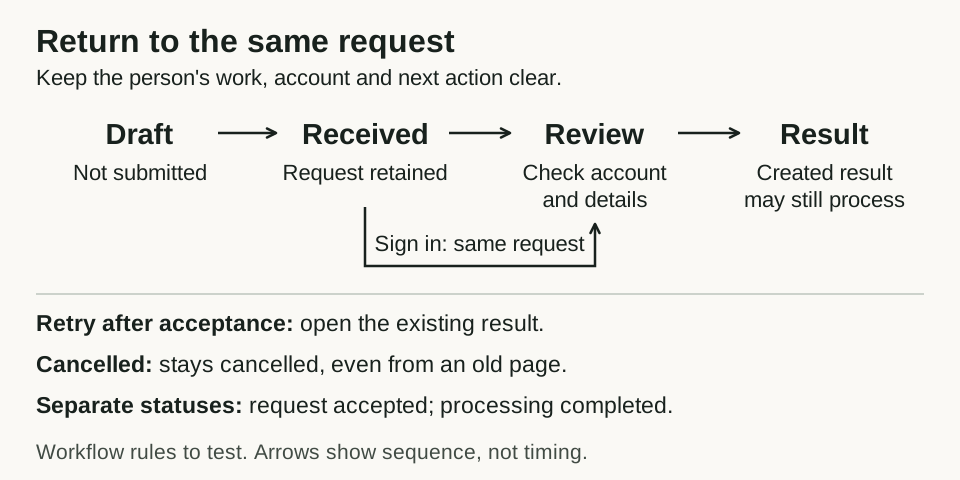
Test sign-in detours, reloads, duplicate submissions and return visits. Includes Overskill’s request-recovery example and an eight-check worksheet.
Measured example · 5 min read
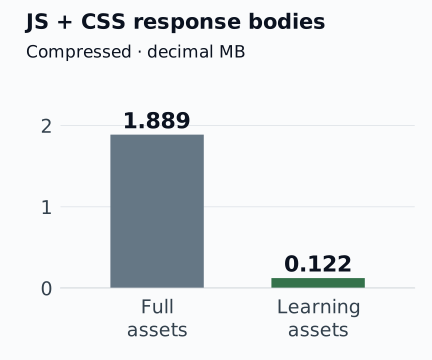
See what changed when Overskill’s own learning index loaded fewer assets. Includes all six local observations, readable charts, a method note, and a reusable performance brief.
Complete the launch checks, publish when ready and demonstrate one useful journey clearly.
Ship with confidence · 6 min read
Test your AI-built app before launch: sign-in, private data, payments, mobile, accessibility, search visibility, and the first customer journey.
Video · 7 min read
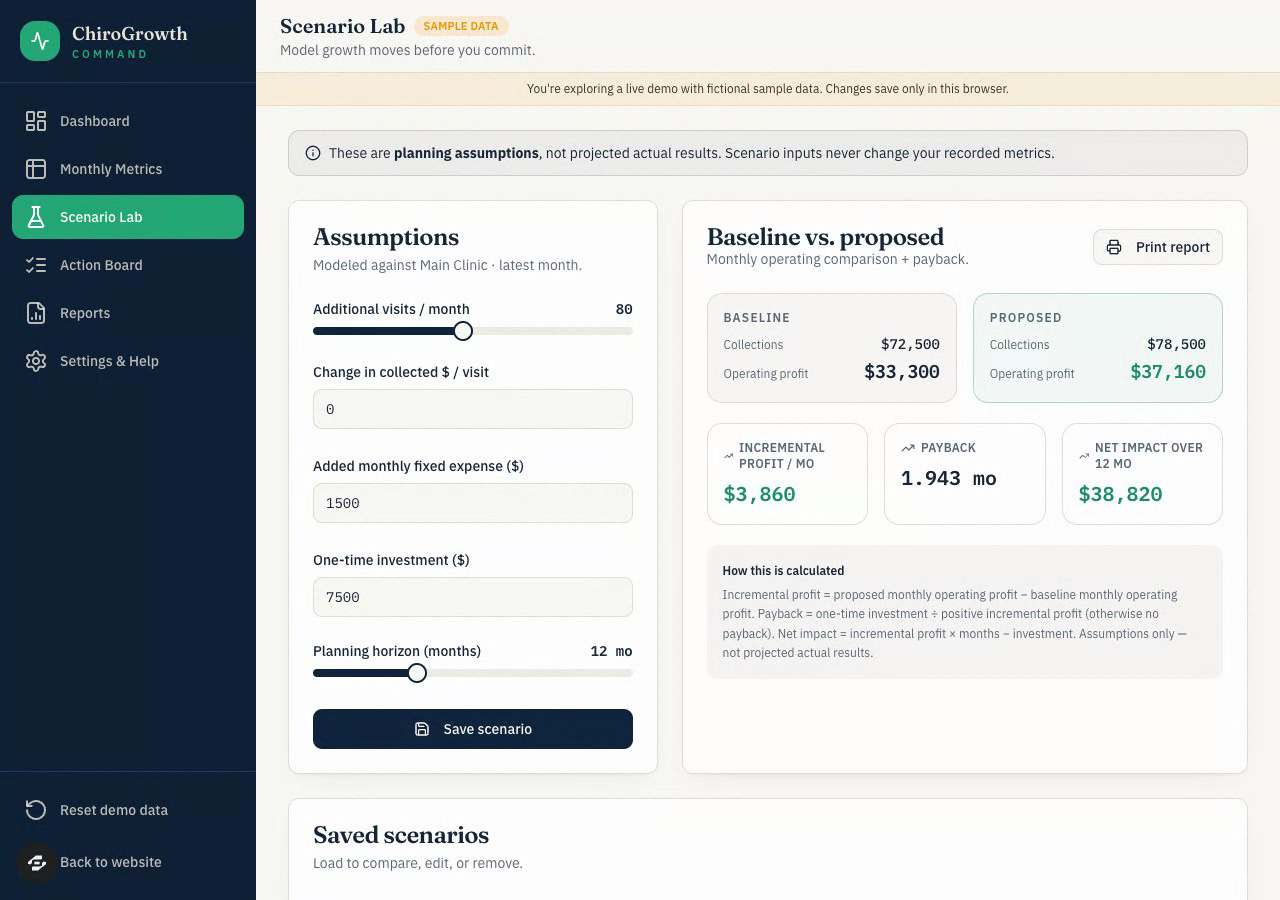
Watch a real Scenario Lab recording, then plan a readable demo around one action and its result. Includes the observed calculations and a reusable capture worksheet.
By Chad Kimbrel
A small tool for a better first prompt
Name the person, the job, and the information. Leave with a prompt that includes permissions and a definition of done.
Write and copy your brief without an account. Start build saves it in Overskill and continues through sign-in if needed. Your account's usual access and credit requirements apply when building. Avoid adding private information.
See the product
Watch the existing product demo, then use the guides to plan and test your own workflow.
The demo shows a product overview. Current controls, model choices, plans, and availability may differ. For a step-by-step build plan, start with the client portal guide.
How it worksMake it yours
Explore published templates. Check the preview, workflow, and access requirements before you build.